Overview
In this article, we will detail how to utilize the Minimum Balance Amount field in order to not apply a late fee to a resident until the outstanding balance has reached a minimum amount. This amount can be configured by the organization.
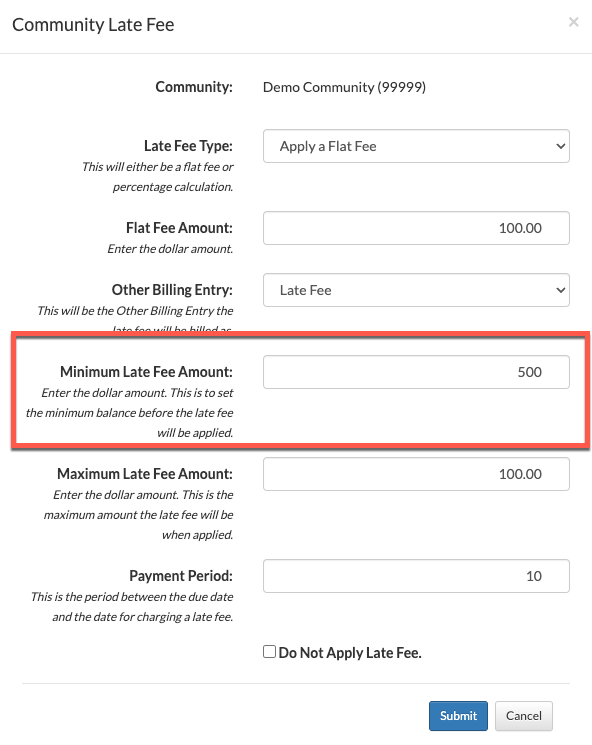
For example, no late fees will be charged until the minimum balance reaches $500.00.
Steps to Setup Minimum Balance Amount for Late Fees
Step 1: From the Aline Revenue Dashboard, select the Waffle Menu and then select "Late Fees and Collections".
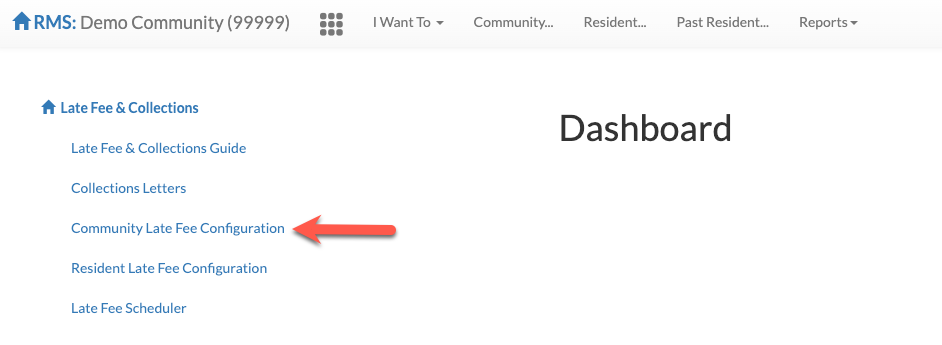
Step 2: From the Late Fees & Collections Dashboard, select "Community Late Fee Configuration".
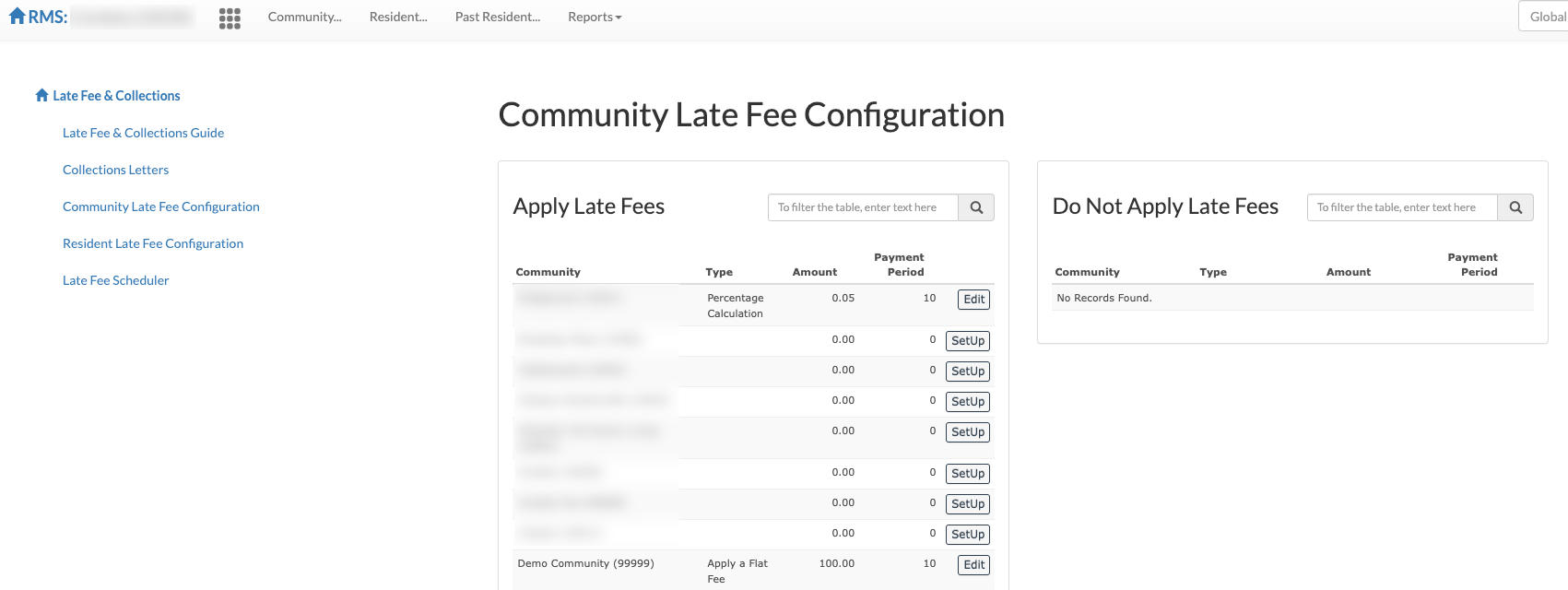
Step 3: Select "Setup" or "Edit" next to the desired community.
Step 4: Enter in the desired "Minimum Late Fee Amount". Entering a minimum late fee amount, such as $500 in the below example, will prevent a resident from being charged a late fee until the resident's account balance hits the minimum amount entered.
Note: the Minimum Late Fee Amount is configurable on a community by community basis and can be set to whatever most benefit's the community's operation.
Was this article helpful?
That’s Great!
Thank you for your feedback
Sorry! We couldn't be helpful
Thank you for your feedback
Feedback sent
We appreciate your effort and will try to fix the article