Overview
In this article, we will review how to add an itemized payment.
Video
Itemizing Payments from Aline Ops on Vimeo.
Add an Itemized Payment
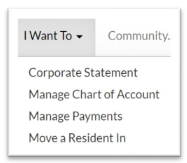
Step 1: Select Manage Payments from the Home Page I Want To dropdown.
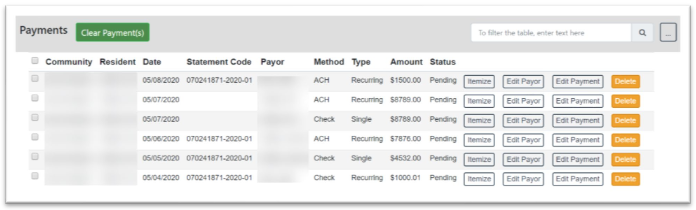
Step 2: On the Manage Payments Page, select the payment you would like to itemize by selecting Itemize Payment.
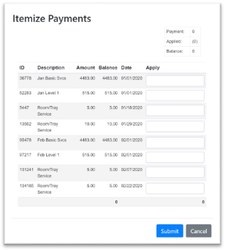
Step 3: After selecting the Itemize button, the Itemize Payment Modal will appear. Enter the amount on each item you want to make payment on and select Submit.
Note: Any remaining amount not itemized will be applied using the Cash Apply Rules.
Was this article helpful?
That’s Great!
Thank you for your feedback
Sorry! We couldn't be helpful
Thank you for your feedback
Feedback sent
We appreciate your effort and will try to fix the article