Overview
In this article, we'll discuss the various aging reports available to users in the Aline Revenue application.
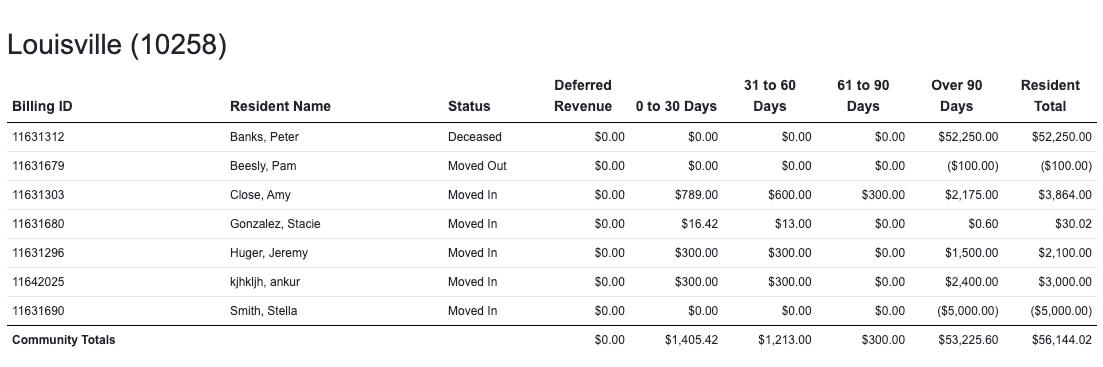
The Aging Report, the Six Month Aging Report, and the Monthly Aging Report allows you, for the period that you run the report for, to show lists all unpaid customer invoices which are categorized by the length of time each invoice has been outstanding.
These reports will display the information to you by Resident, Billing Item, and Age of the invoice. The reports give you an analysis of the age of outstanding invoices.
Specifically, the Aging Report by Month will display each month of the year in addition to the existing columns. This report will include resident name, room number, move in date, move out date, payor, recurring payments, and any notes.

The Six Month Aging Report will include the additional fields of 90 to 120 Days and Over 120 Days along with additional information like recurring payments and resident notes.
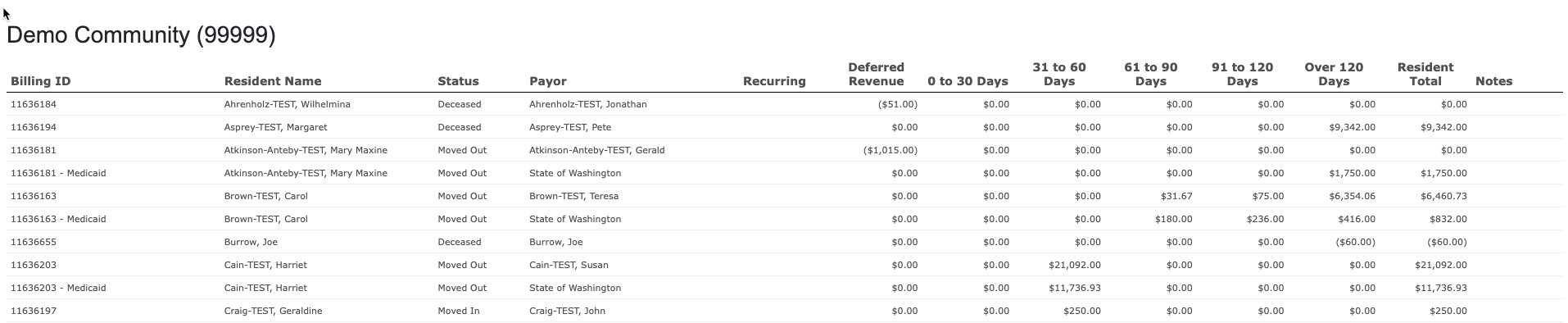
Note: Residents will only display on the reports if there is an aging balance for the time period selected.
Steps to Run an Aging Report
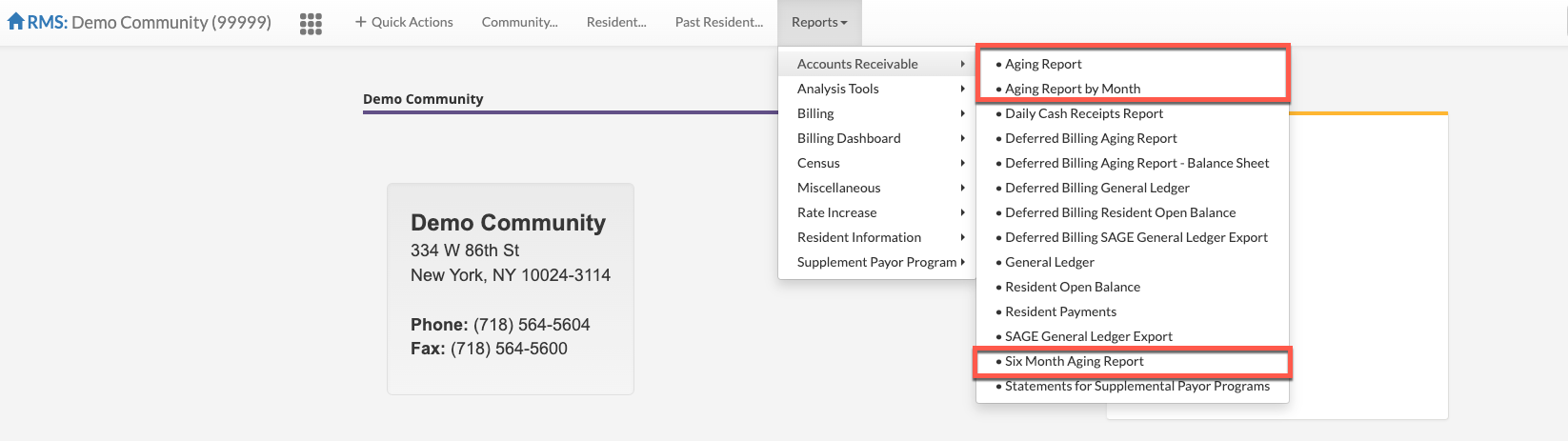
Step 1: From the Aline Revenue dashboard, select the Reports tab, select Accounts Receivable, and then select the desired Aging report: Aging Report, Aging Report by Month, or Six Month Aging Report. In this example, we will run the Aging Report.
Step 2: Select the community or communities to be included in the report.
Step 3: Select the Report Date.
Step 4: Select the desired Care Types to include in the report.
Step 5: Select the report Output: Screen, Excel, or PDF.
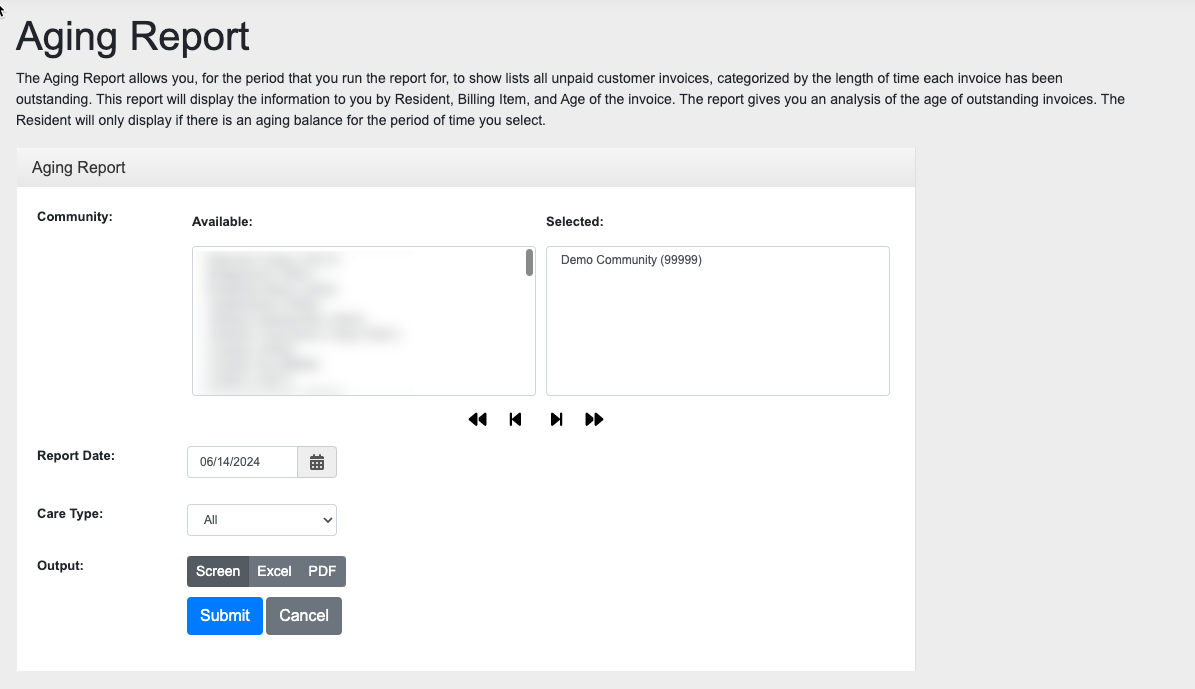
Step 6: Select "Submit".
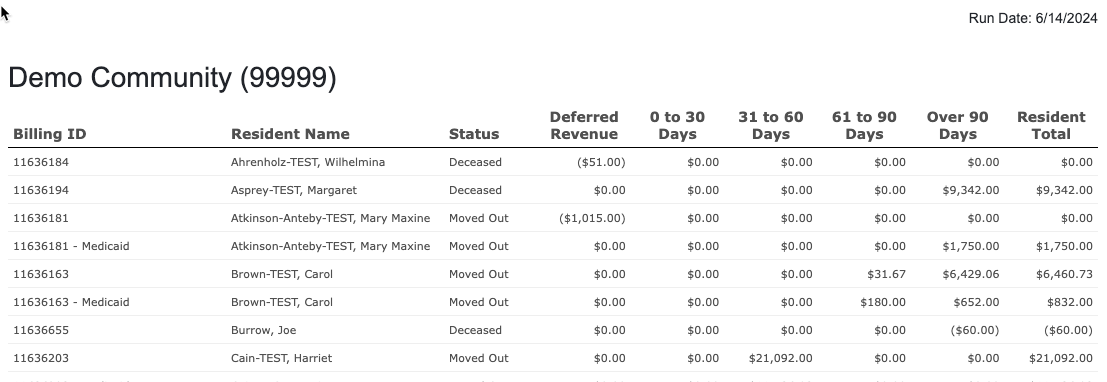
Note: the grand total of your aging should match the grand total of your general ledger.
Was this article helpful?
That’s Great!
Thank you for your feedback
Sorry! We couldn't be helpful
Thank you for your feedback
Feedback sent
We appreciate your effort and will try to fix the article