Overview
In this article, we will explore the various tool and data available on a resident's profile.
Resident Profiles
The Resident Profile not only displays pertinent resident and resident payor details, but users can also review current and past statements, current and past payments, along with actually executing a payment on a resident or resident payor's behalf.
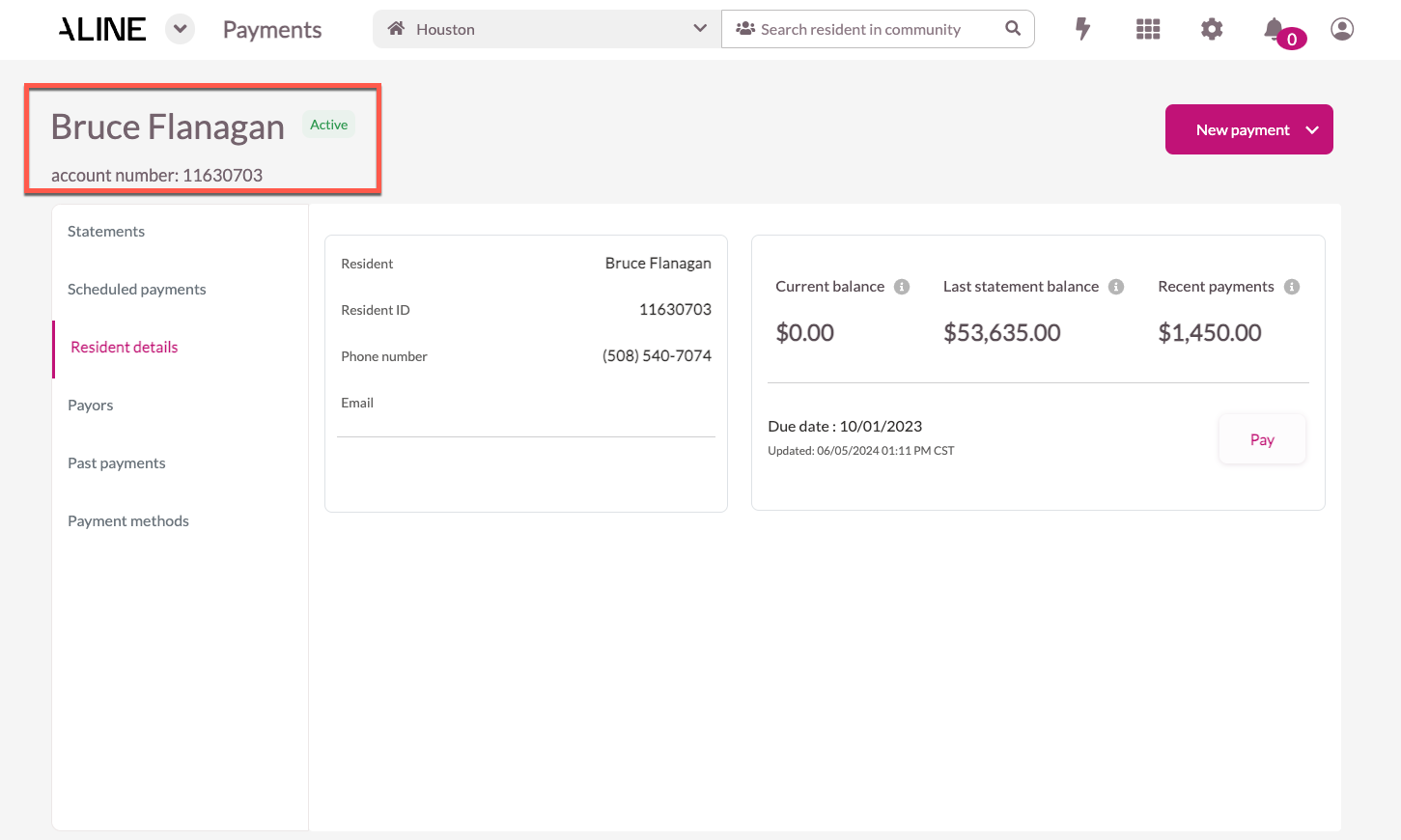
The residents name and account number (Billing ID) will display in the top left of the profile. Also included will be the resident status - listed as Active, Inactive, or Future.
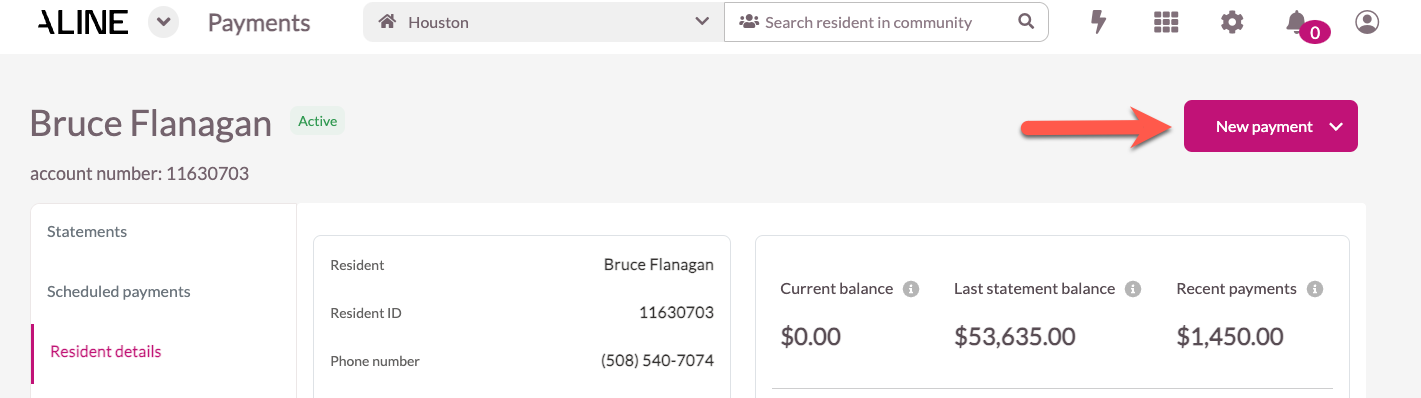
To the upper right hand side of the page, users can execute e-check or ACH payments on the resident or resident payor's behalf by selecting the 'New Payment' button.
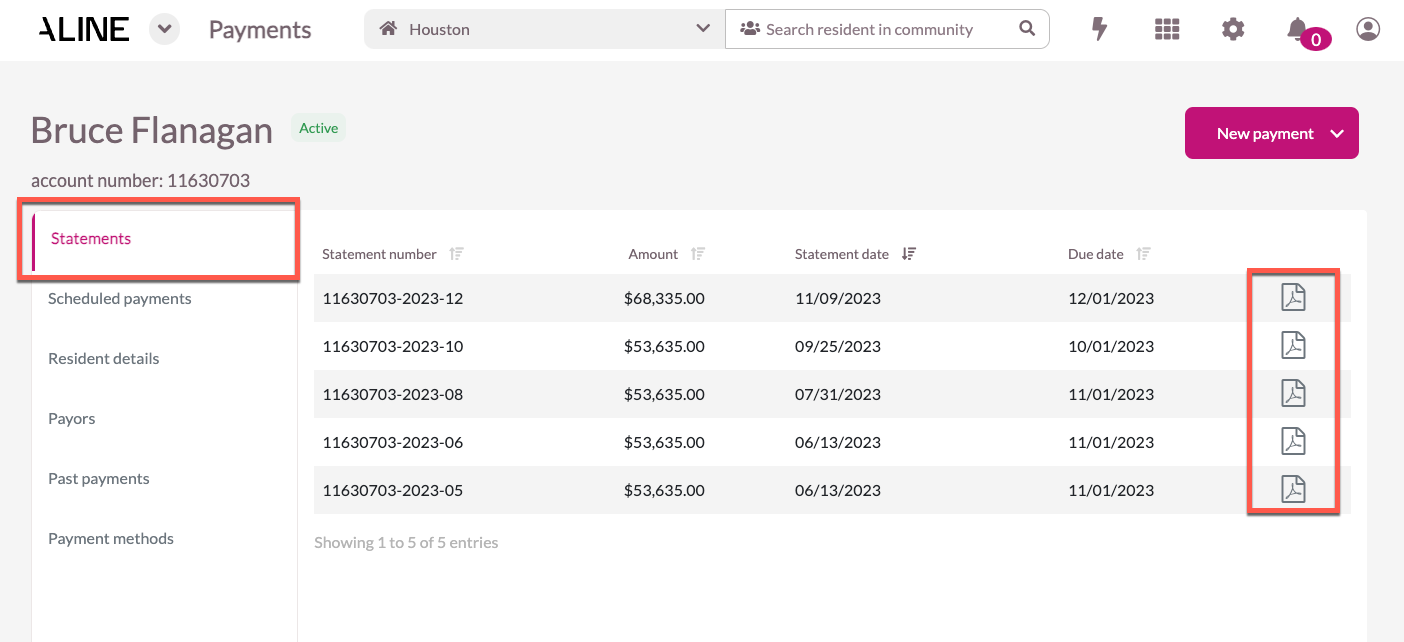
Below, users can select the following categories: Statements, Scheduled Payments, Resident Details, Payors, Past Payments, and Payment Methods. Selecting 'Statements' will display recent statements issued to the resident. Selecting the PDF icon next to a statement will display that respective statement. This statement should be identical to the statement issued in the Aline Revenue application.
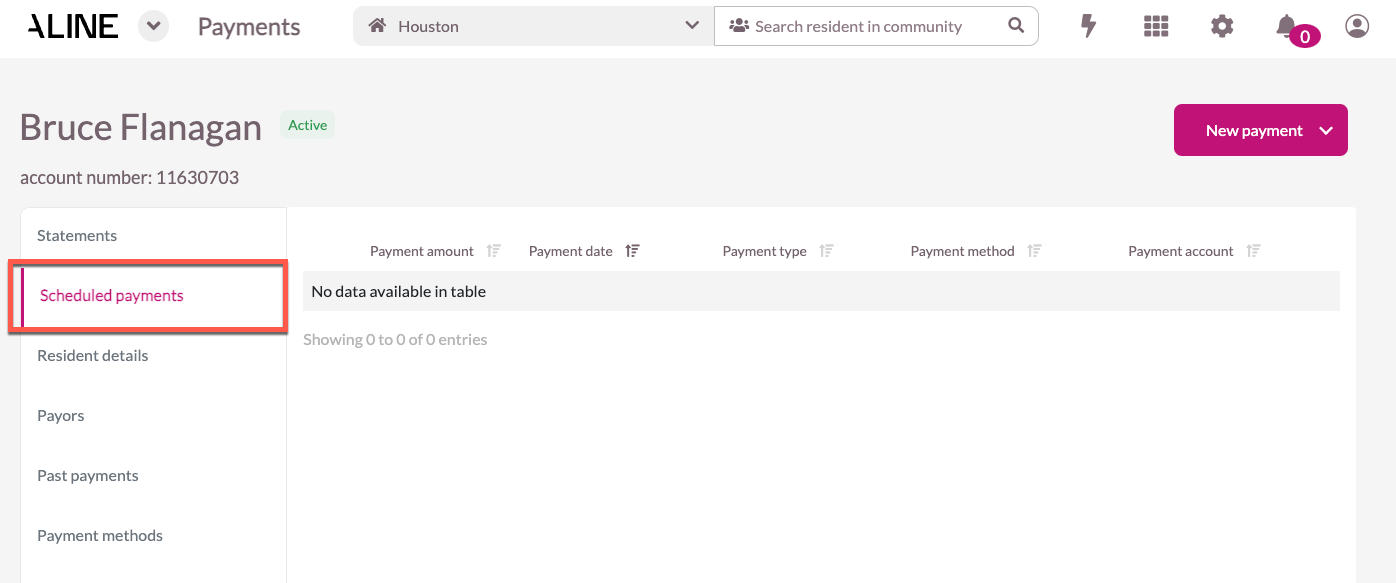
Selecting 'Scheduled Payments' will display any payments that have been approved but that have not yet been processed. Scheduled Payments will also display any upcoming payments that have been scheduled for a future date.
Selecting 'Resident Details' will display resident data like the resident's name, Billing ID, phone number, and email address. Additionally, the resident's Current Balance, Last Statement Balance, and Recent Payments will display.
Current Balance: this is the balance on the account, including any recent payments, returned payments, and credits since the statement closing date.
Last Statement Balance: this is the total amount owed on the most recent statement.
Recent Payments: this is the total sum of payments made since the last statement closing date.
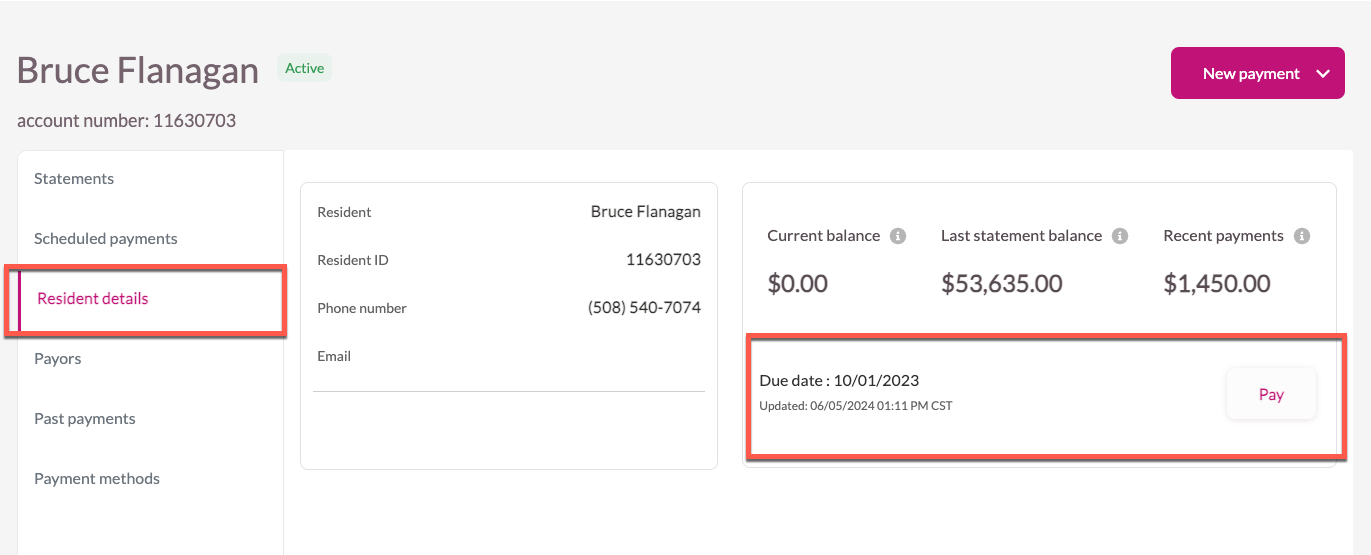
Selecting 'Payors' will display all resident payors associated with the resident's account. By default, any Responsible Parties listed in the Aline Revenue application will be listed here.

Selecting 'Past Payments' will display all historical payments made to the resident's account. These past payments can be sorted using the headers above: All, Approved, Paid, Failed, Refunded, and Voided.
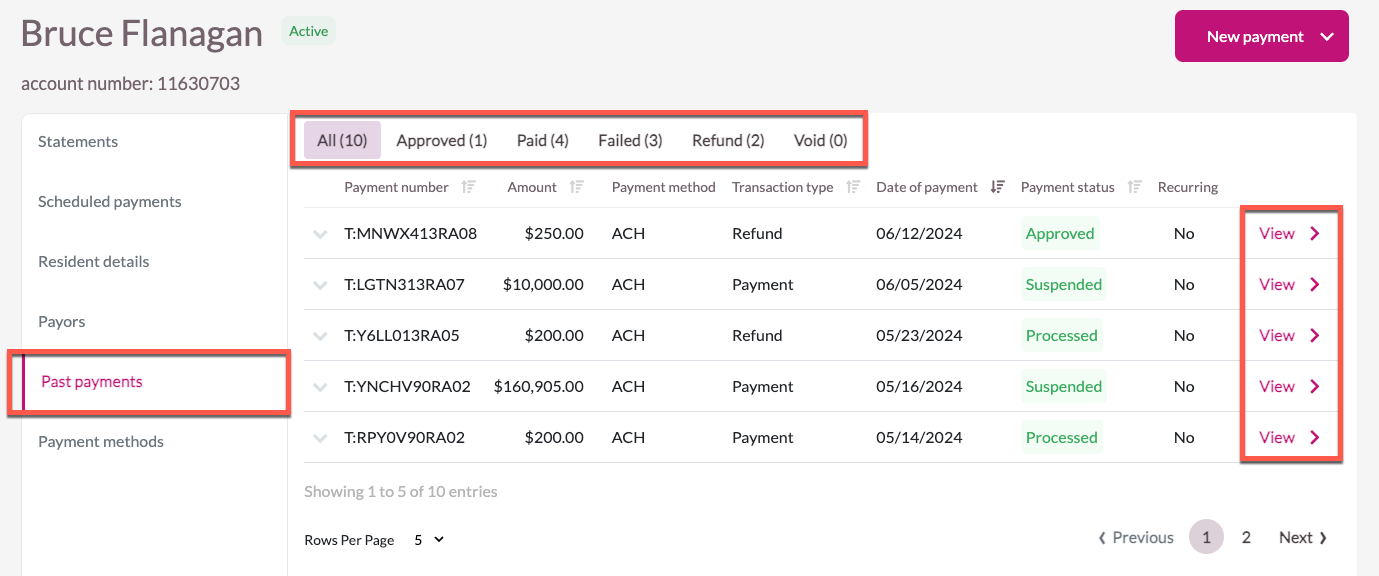
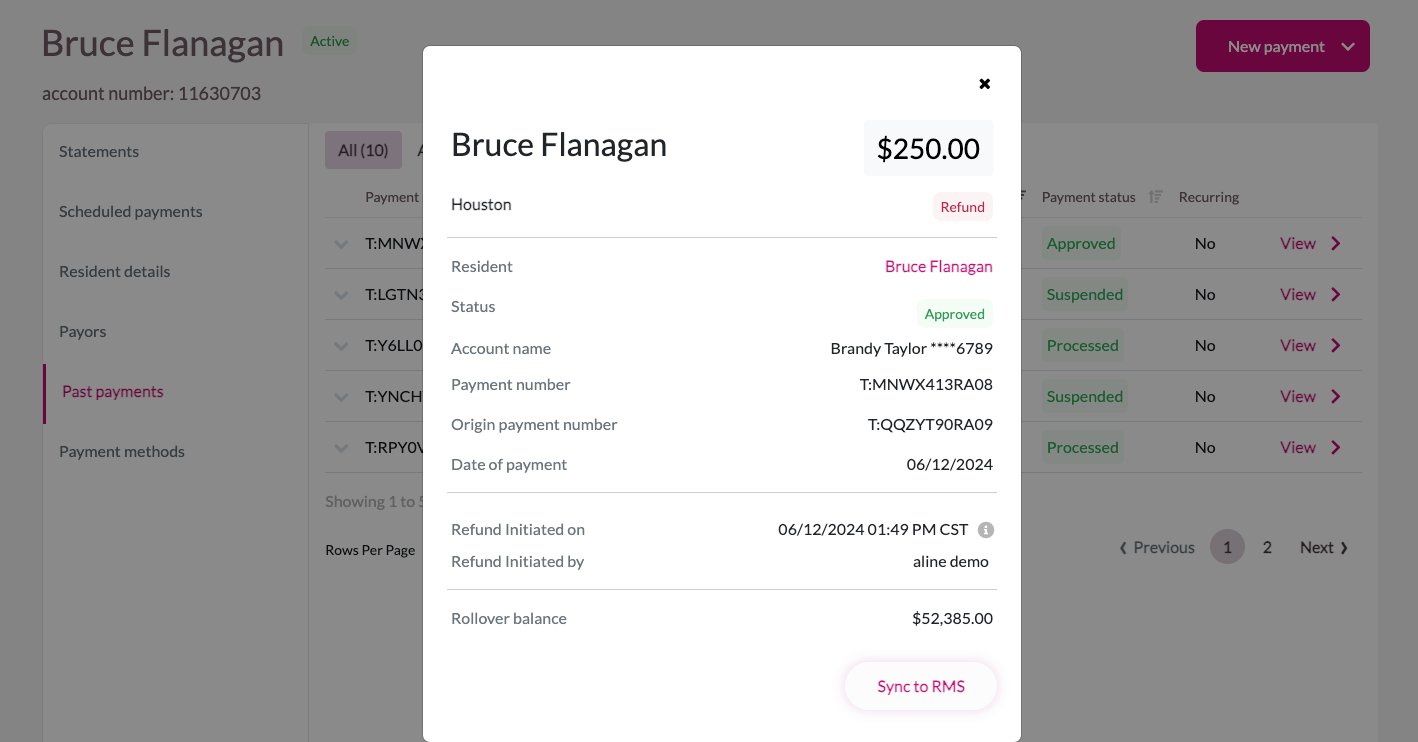
Selecting 'View' on any of the past payments will display the payment's details.
Selecting 'Payment Methods' displays any currently utilized payment methods associated with the resident's account. New payment methods can be added when executing a new payment.
While payment data should sync to the Aline Revenue application near instantly, if a manual sync is necessary, users can select the 'Sync to RMS' button.
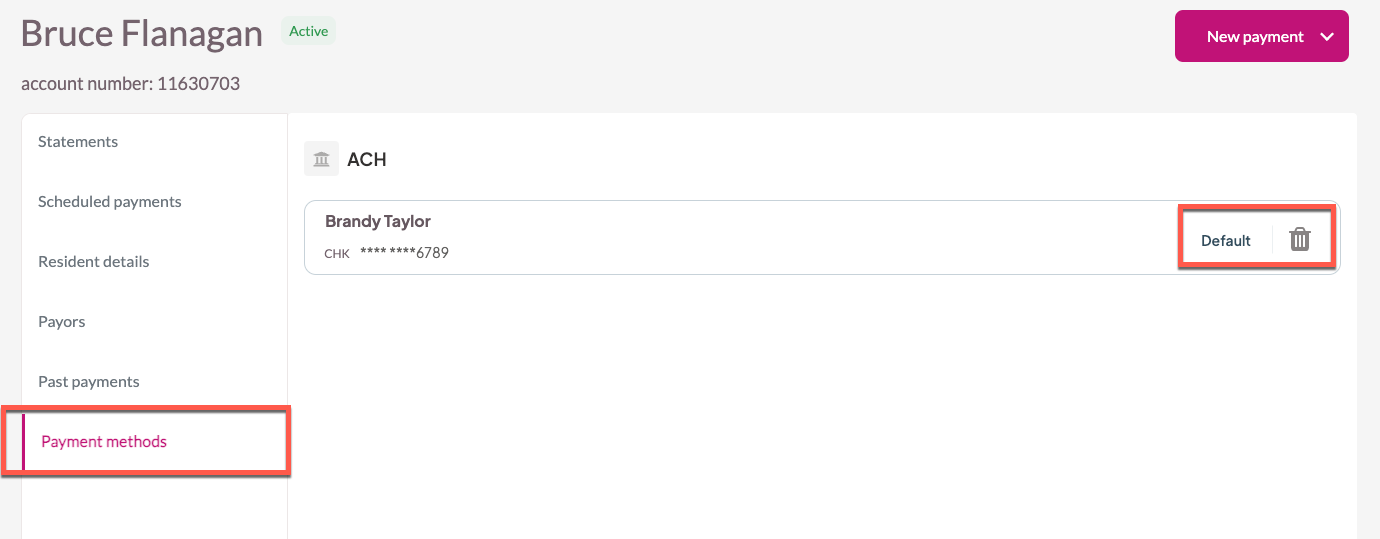
Payment methods can be selected as the 'Default' payment method. Default payment methods display first when executing a new payment. Payment methods can also be removed from the resident's profile by selecting the Trash Can Icon.
Was this article helpful?
That’s Great!
Thank you for your feedback
Sorry! We couldn't be helpful
Thank you for your feedback
Feedback sent
We appreciate your effort and will try to fix the article