Overview
In this article, we'll discuss the Resident Ledger Admin tool which allows administrative users to edit or delete an invoice before they have been included on a monthly statement. Editing a ledger entry allows the user edit various components of the entry such as to reclassify charge codes, update statement remarks, update the amount, update the creation date, and update the accounting date.
Please note: not all users will have access to this functionality as it is tied to the user's permissions and is generally only available to administrative / support users within the organization.
Steps to Edit or Delete an Invoice
Step 1: After signing into the Aline Leasing & Billing application, select the Resident dropdown menu and then select the desired resident.
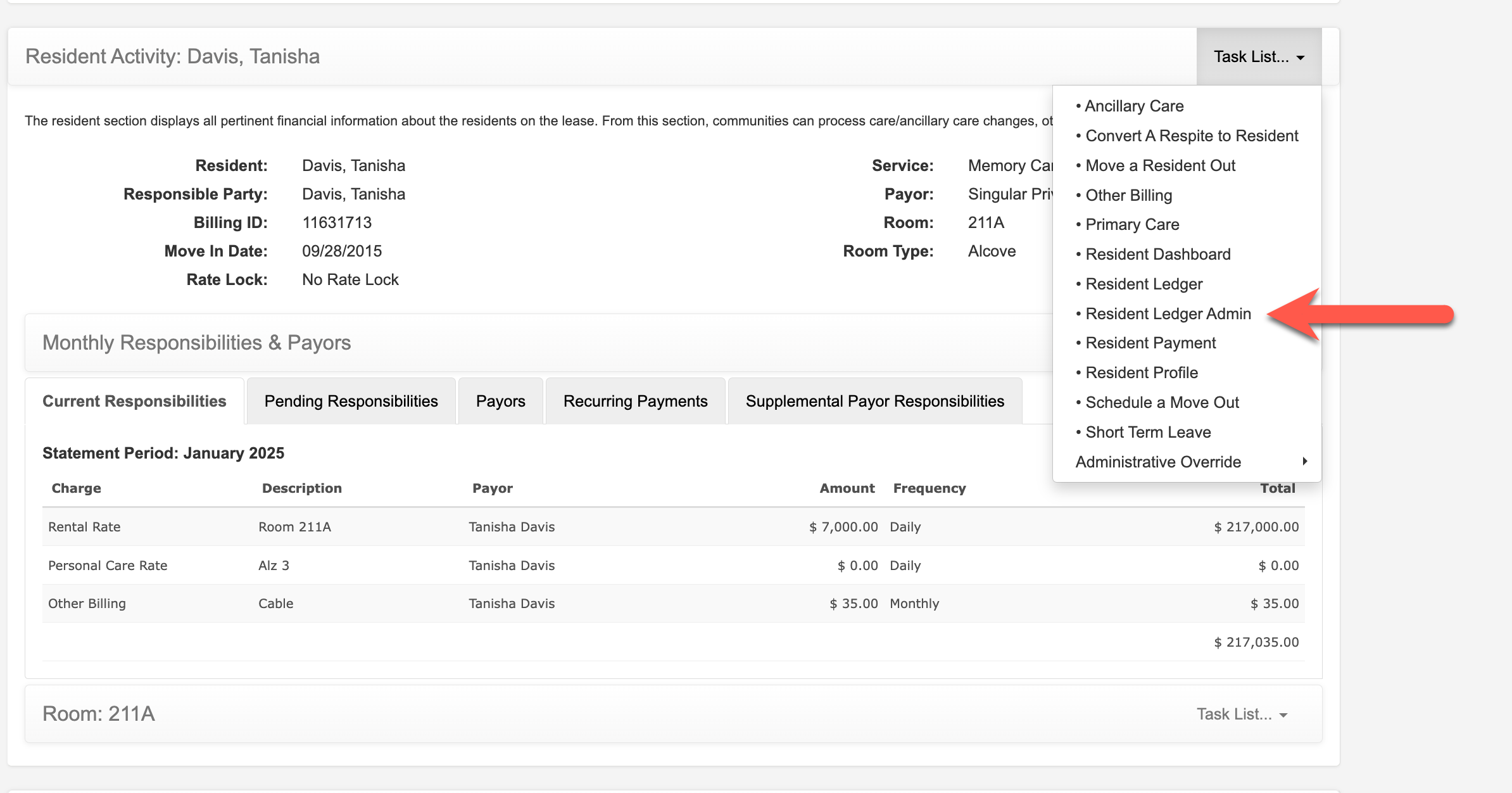
Step 2: On the resident profile, select the Resident Activity Task List Menu and then select Resident Ledger Admin.
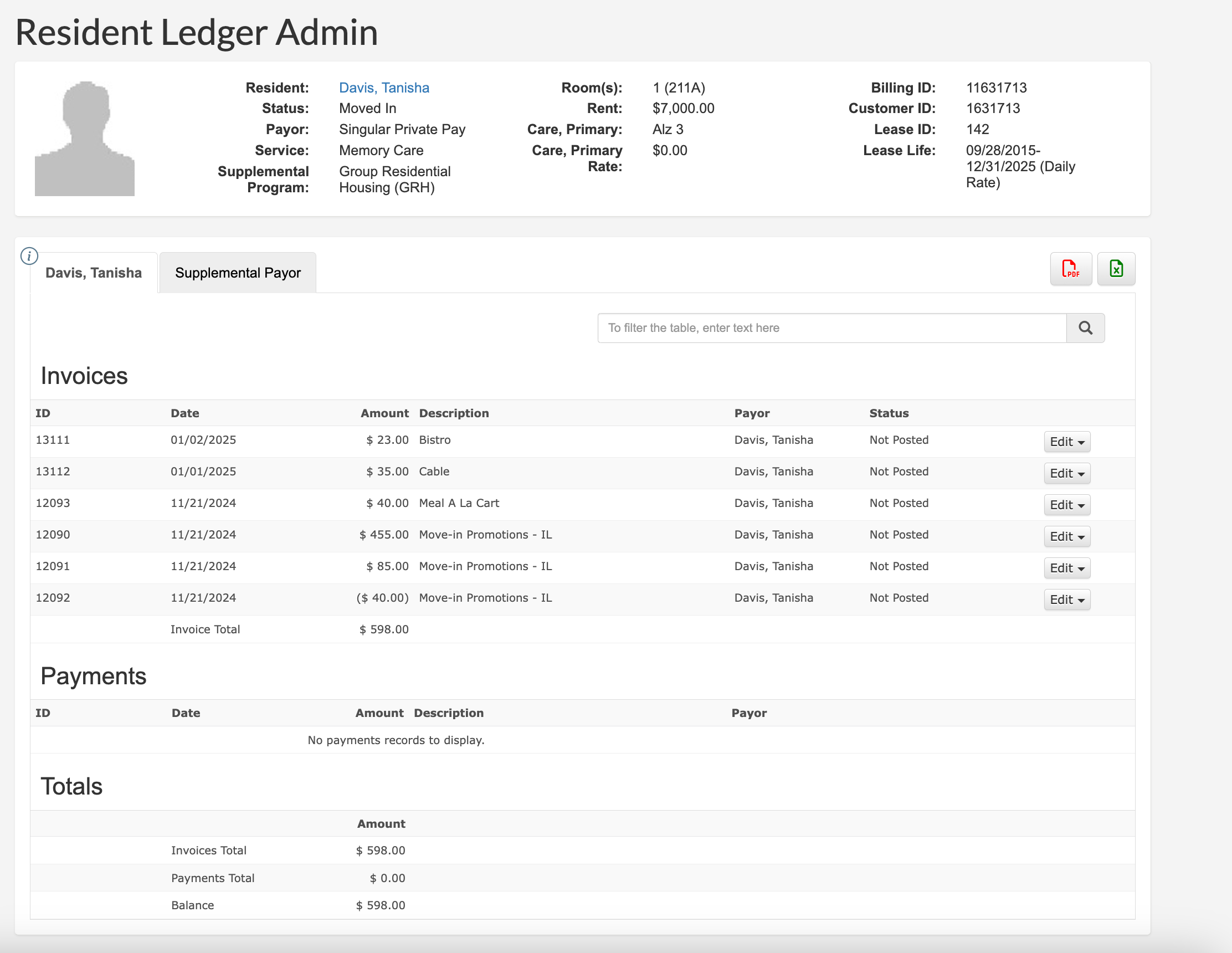
All of the selected resident's invoices that have not yet been included on a statement run will display. The data can be exported via Excel or PDF by selecting either icon.
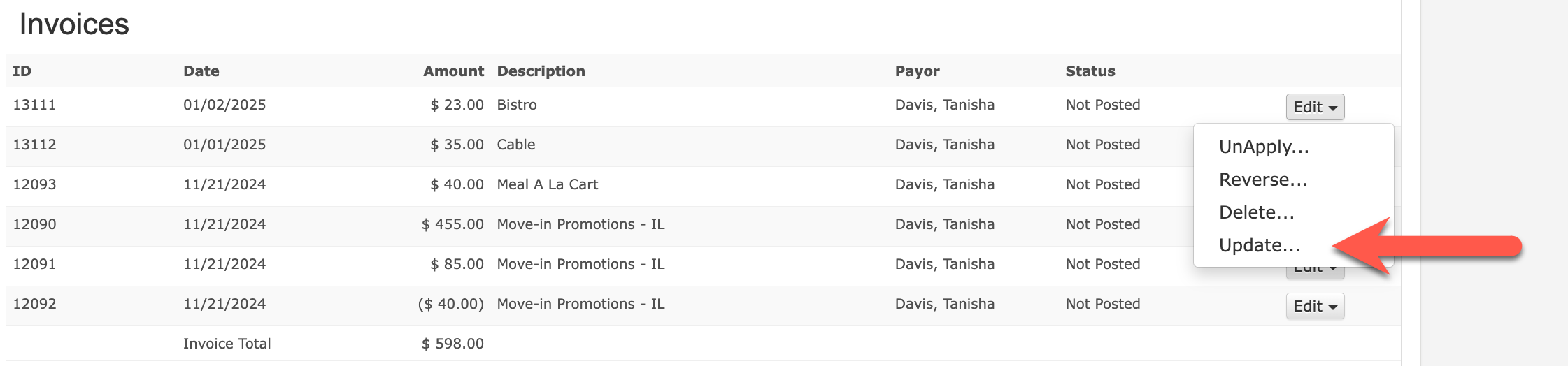
Step 3: To edit an entry, select Edit and then select Update.
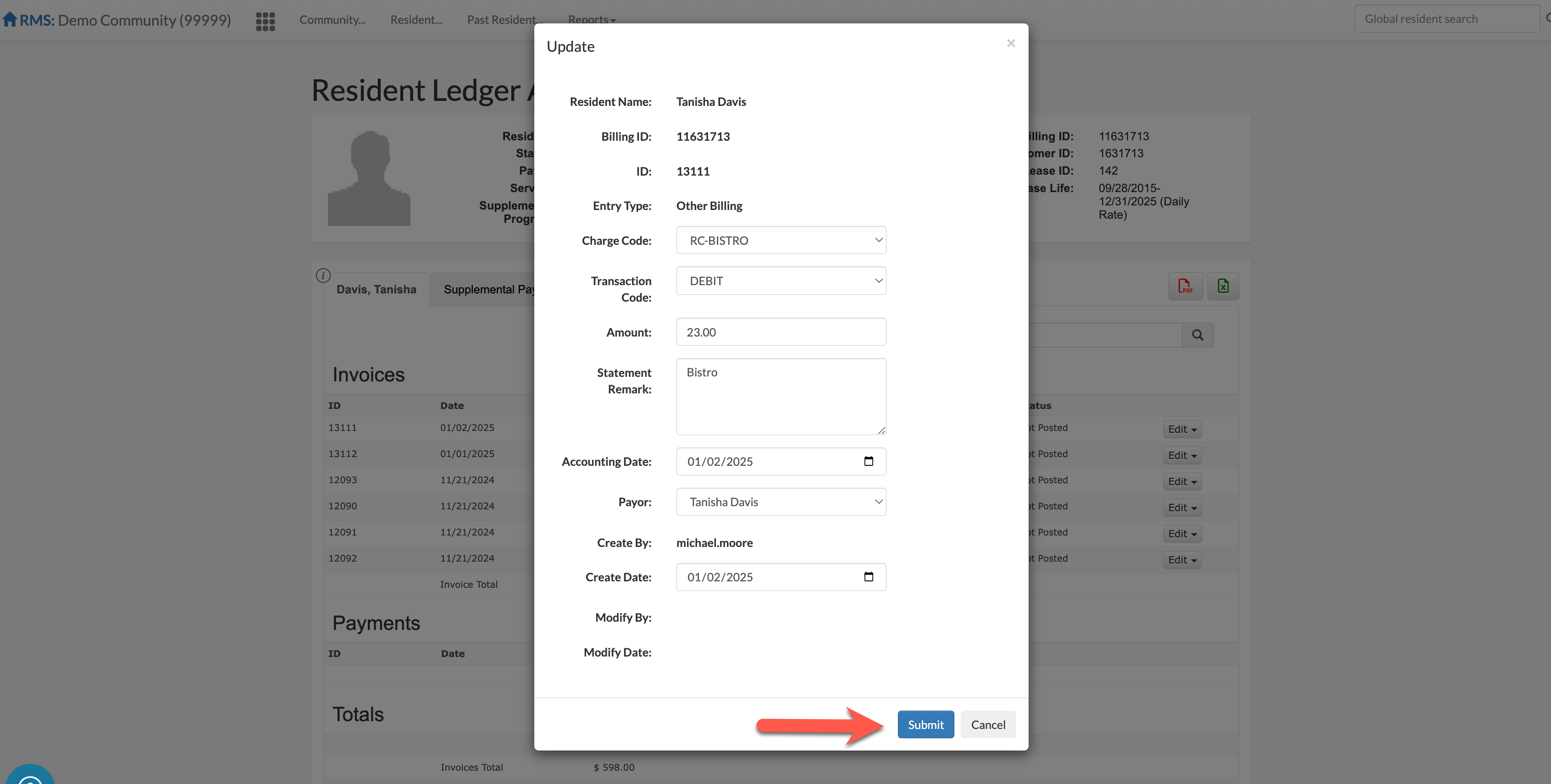
Step 4: The entry can now be edited. Make any necessary changes. Select Submit to save the changes.
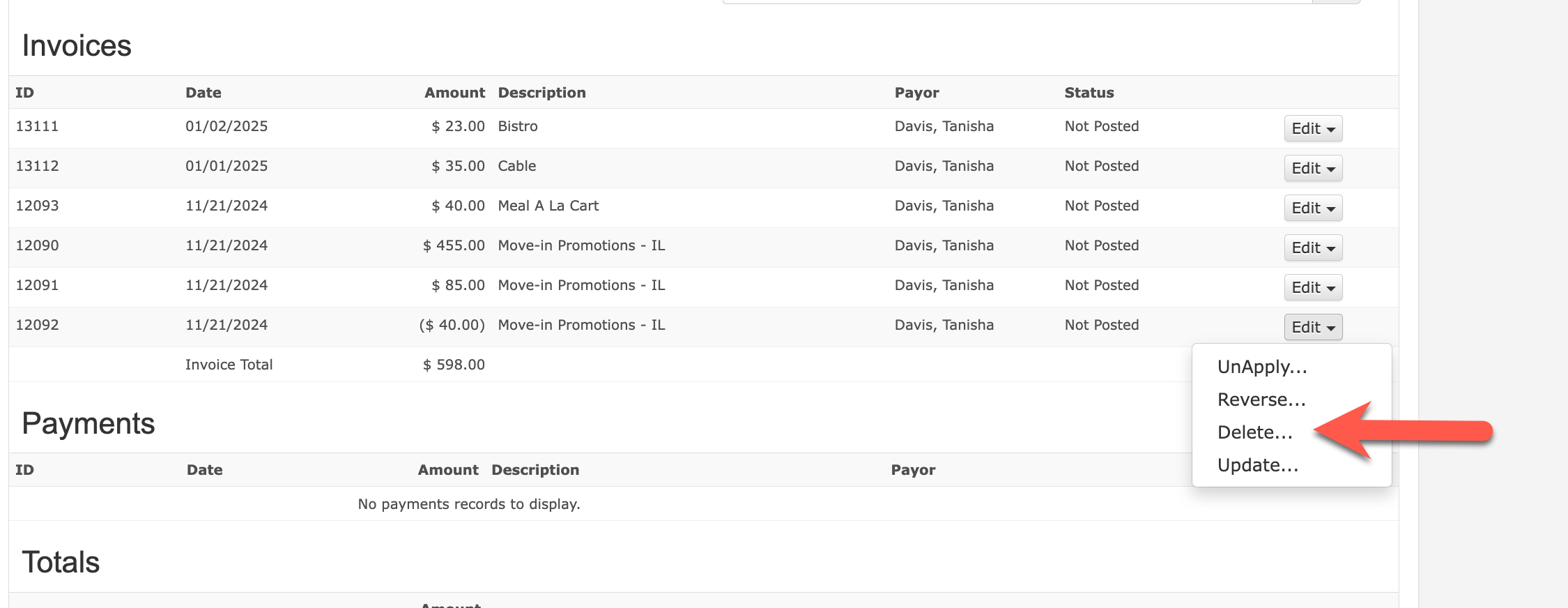
If the entry should be deleted instead of edited, select Edit and then select Delete.
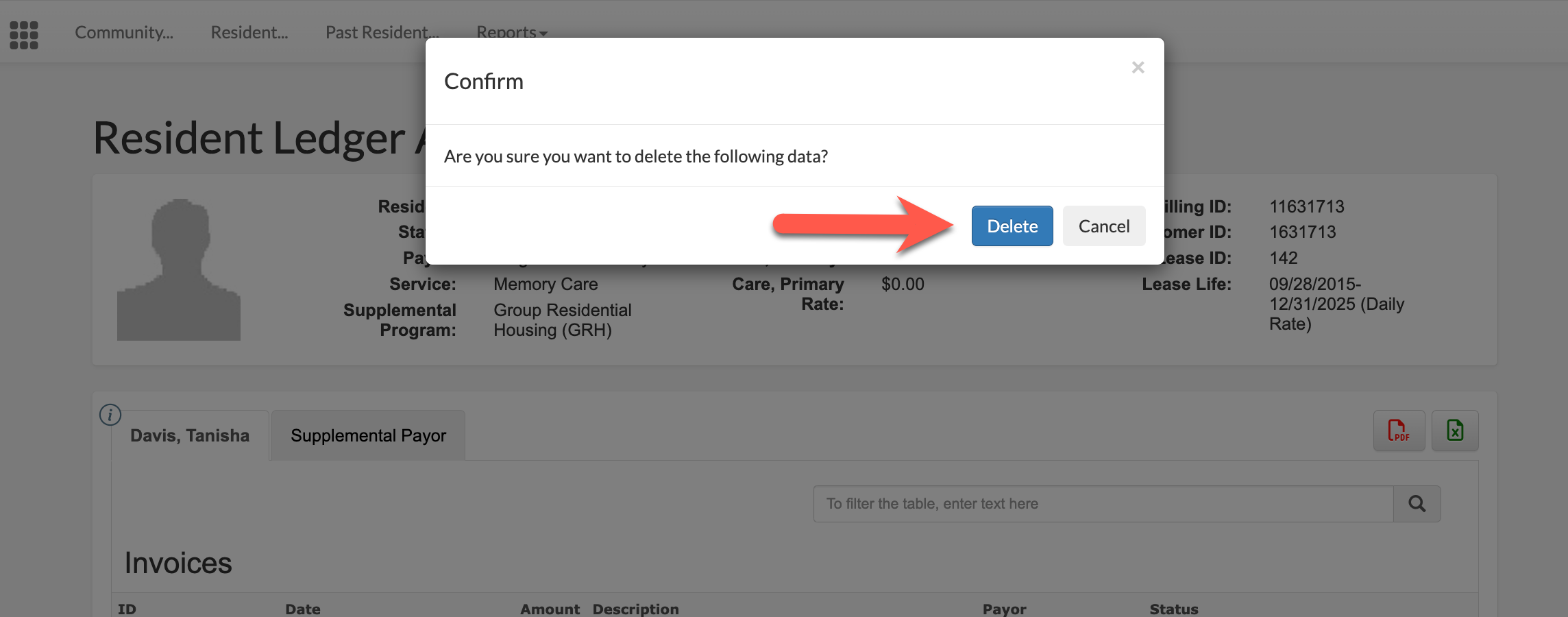
Confirm the entry deletion by selecting the Delete button. The entry will be entirely removed.
Was this article helpful?
That’s Great!
Thank you for your feedback
Sorry! We couldn't be helpful
Thank you for your feedback
Feedback sent
We appreciate your effort and will try to fix the article