Overview
In this article, we will review how to view saved payment methods.
Viewing Saved Payment Methods
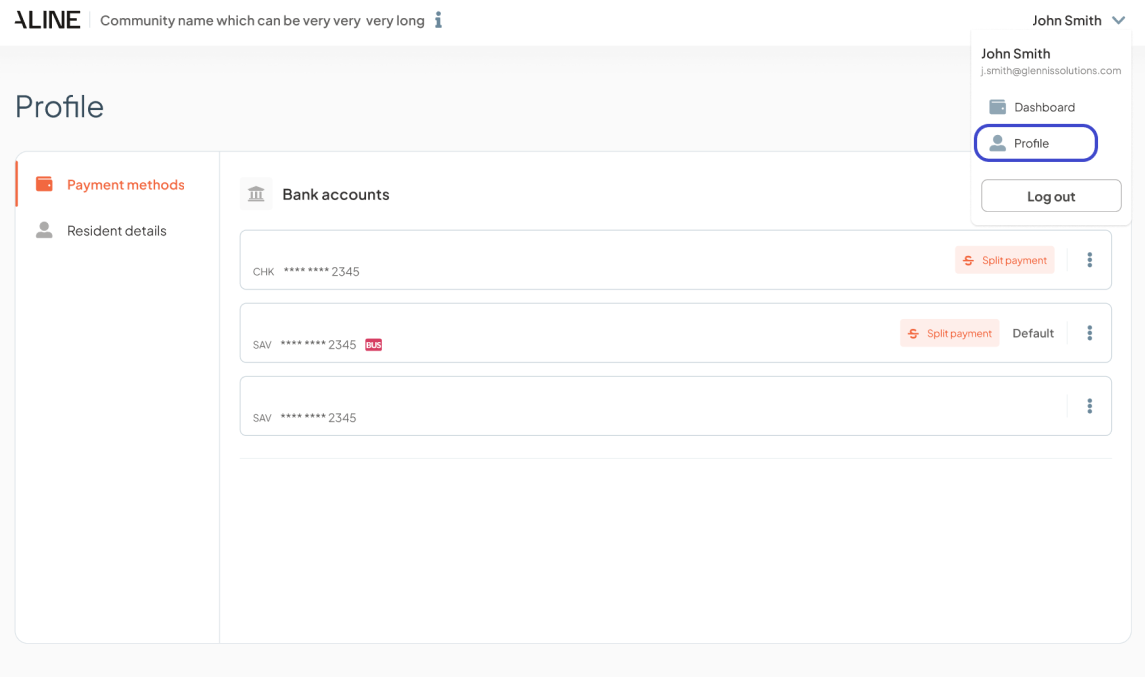
Users will click on the resident’s name on the upper right-hand corner, and then click on ‘Profile’. This will take them directly to the payment method tab. Saved accounts with a ‘BUS’ chip indicate accounts that were saved on behalf of the resident or responsible party by the community manager.
Users can easily manage their payment methods from this view, including the ability to edit, update, or remove any payment methods as needed.
Was this article helpful?
That’s Great!
Thank you for your feedback
Sorry! We couldn't be helpful
Thank you for your feedback
Feedback sent
We appreciate your effort and will try to fix the article