Overview
In this article, we will review payment history in the Express Portal.
Reviewing Payment History
Step 1: Users can easily access their complete payment history within the dashboard by navigating to the payment history section.
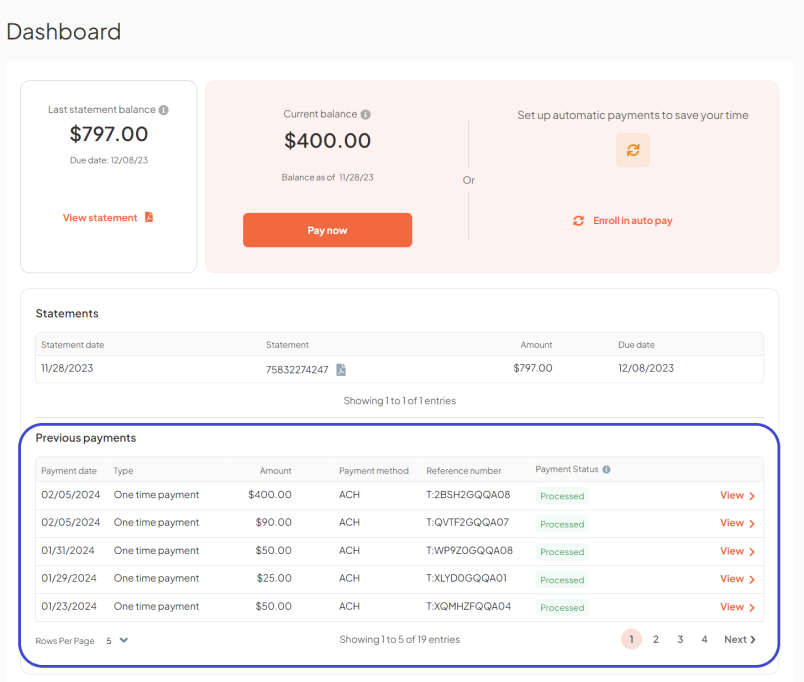
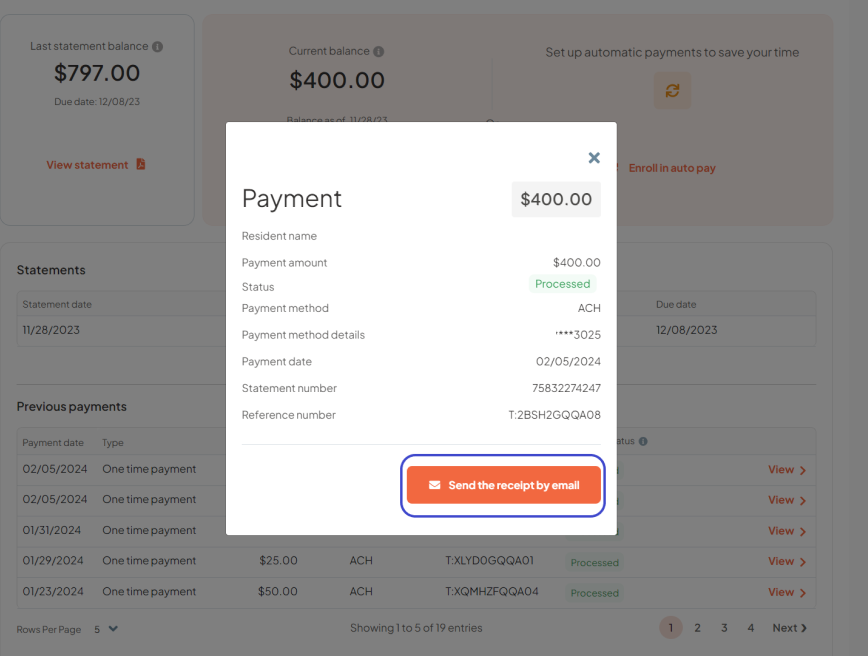
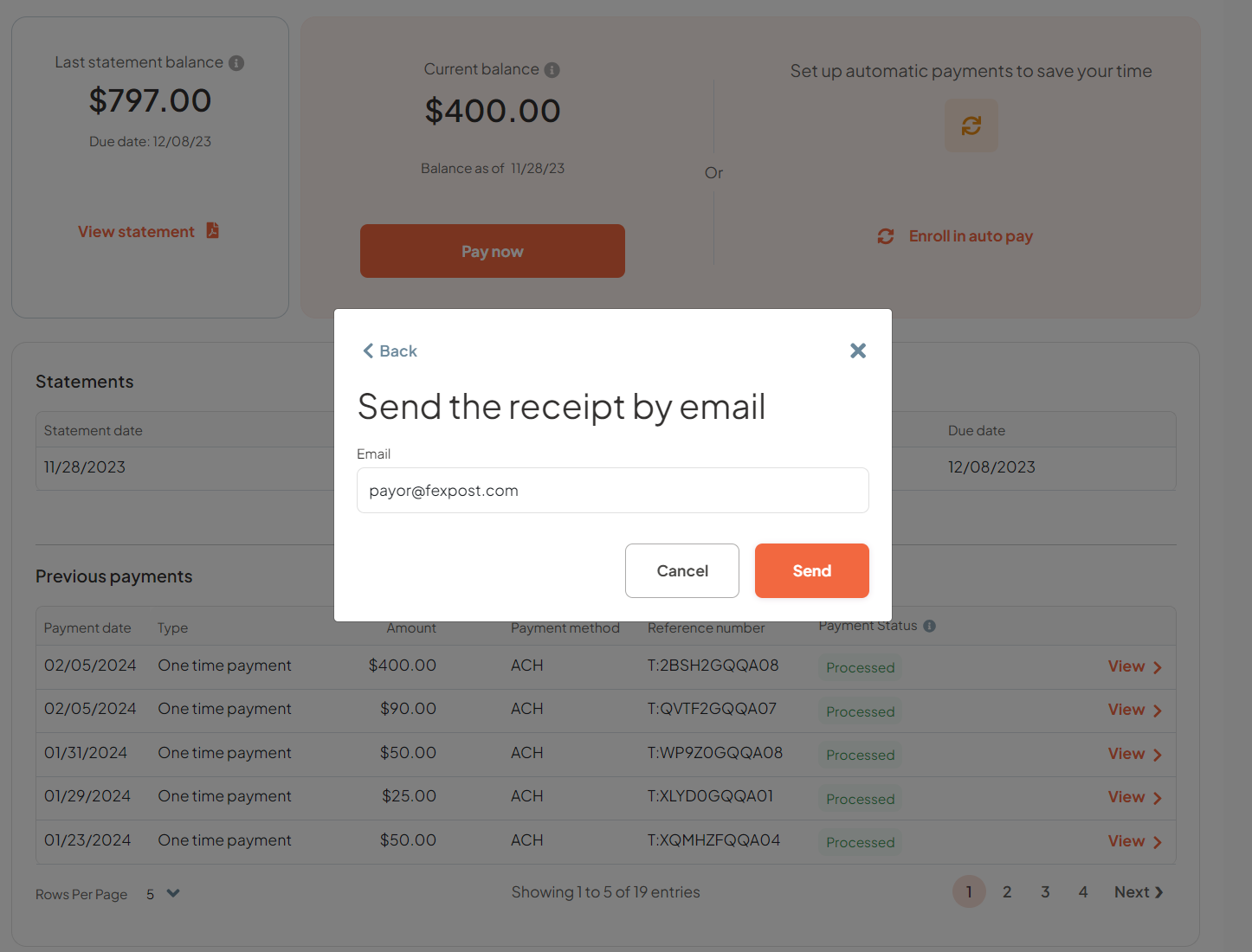
Step 2: Users can drill down to the details of each transaction by clicking on the view chevron, this also includes the option to send a copy of the transaction receipt to their email address.
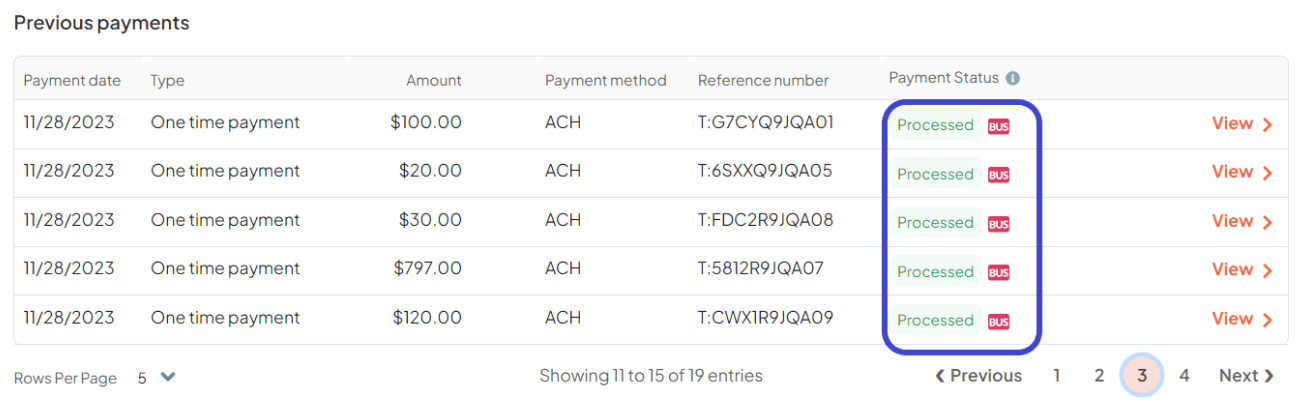
Additionally, users can differentiate between payments handled by the Community Office on behalf of residents or responsible parties, and payments made directly by residents and responsible parties themselves via Express Pay.
Transactions marked with a ‘BUS’ chip in the payment history signify payments processed by the community office.
Was this article helpful?
That’s Great!
Thank you for your feedback
Sorry! We couldn't be helpful
Thank you for your feedback
Feedback sent
We appreciate your effort and will try to fix the article