Overview
In this article, we will review recurring auto payments and split options.
Setting up a Recurring Auto Payment
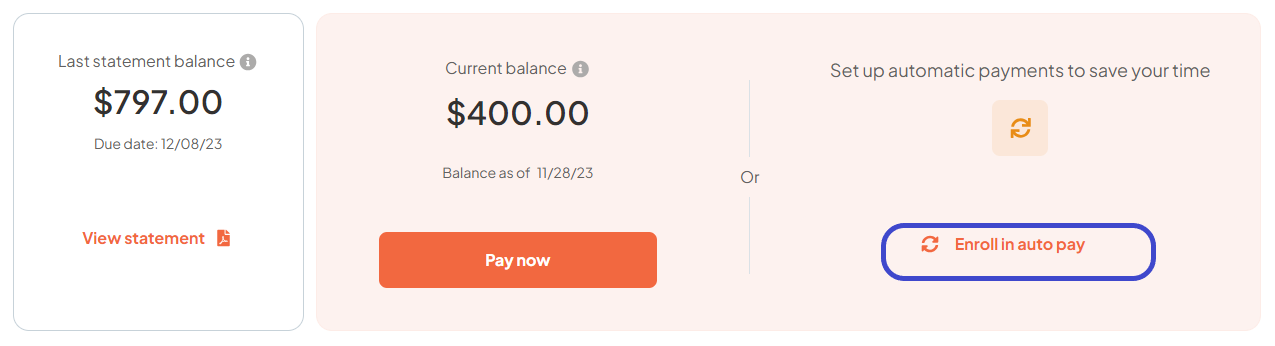
To set up recurring payments, users will navigate to the ‘Enroll is Auto Pay’ button on the dashboard.
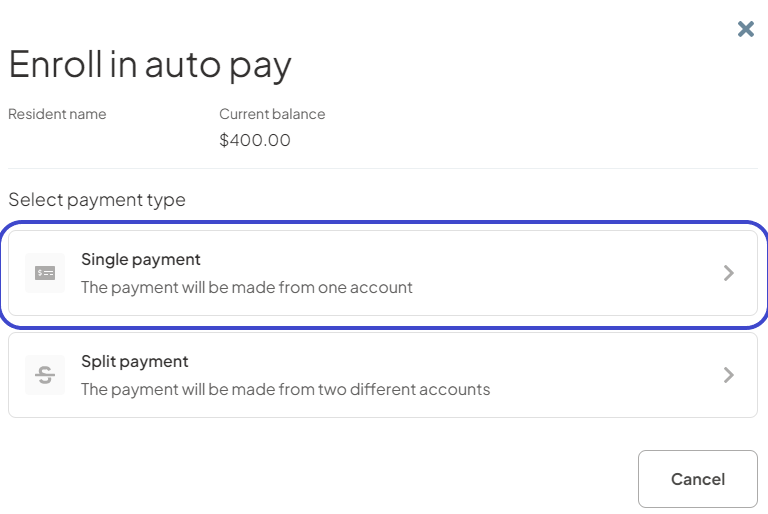
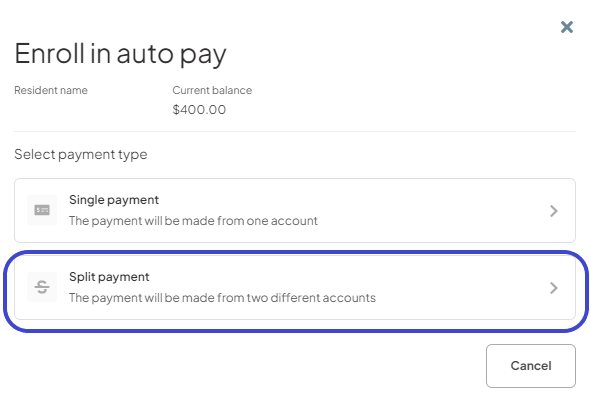
 Users will have the option to either schedule recurring payments using one account or to split the payments across two different accounts.
Single Account Recurring Payment Option
Users will click on the ‘Single payment‘ option and select ACH payments.
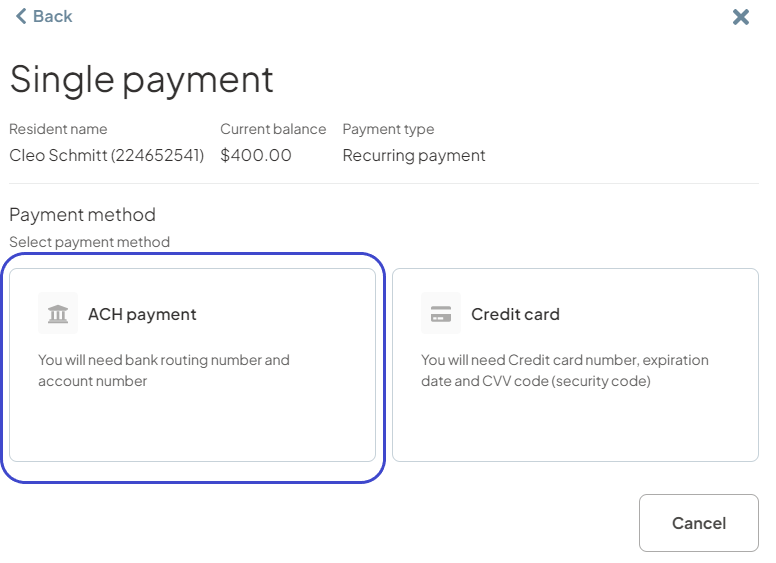
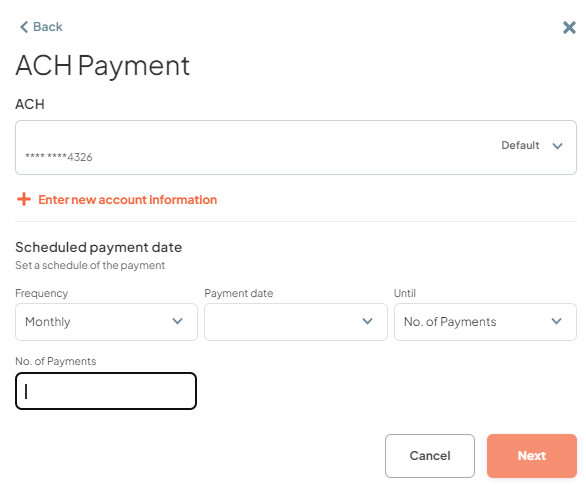
 In the next screen users will click on ‘ACH Payment’ to proceed.
Users will then have the option to either use saved payment methods or provide new bank accounts. When users choose to schedule recurring payments using a new account by selecting ‘Enter new account information’ they will be required to provide ACH debit authorization.
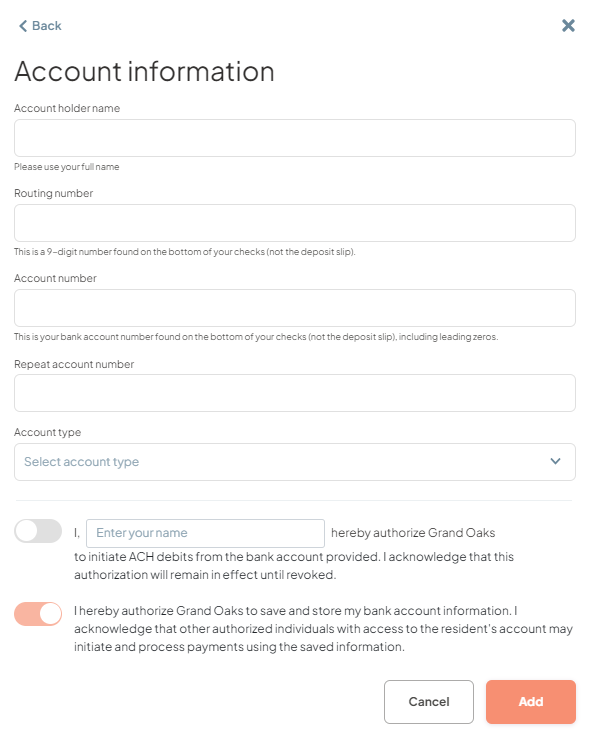
Users will provide authorization by checking the authorization toggle and entering their names. The saved toggle will be auto checked for users when scheduling recurring payments, as this would automatically give consent to the saving of their bank account information for future payment processing.
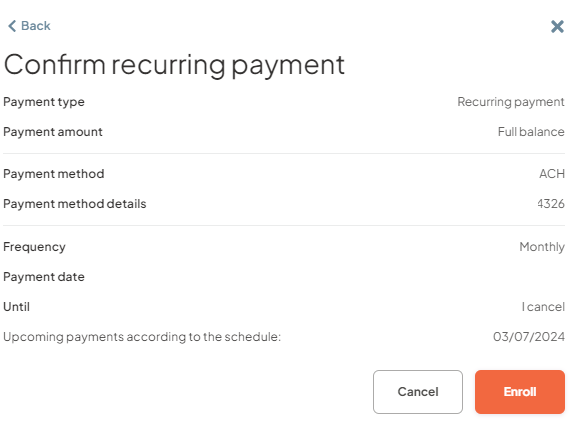
After selecting the accounts to be used for the recurring payments. User will then choose the payment date, will be based on the payment due dates elected by their community, they will also choose between ‘until I cancel’ or a specific number of payments for the recurring schedule.


Recurring Payment Split Option
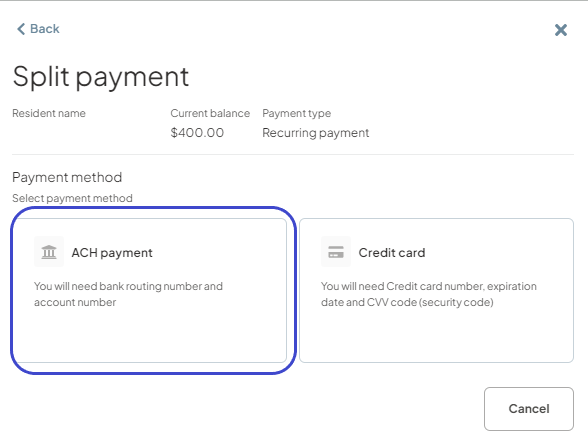
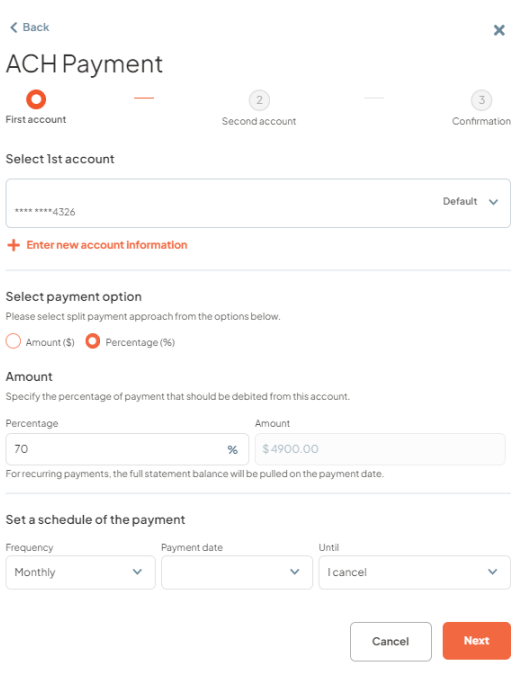
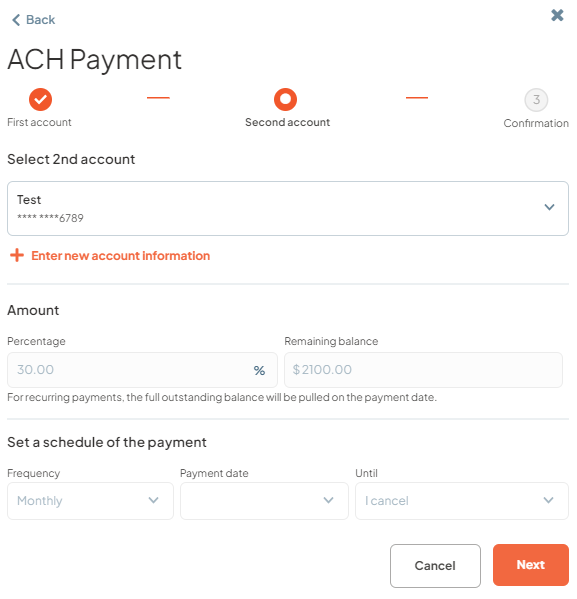
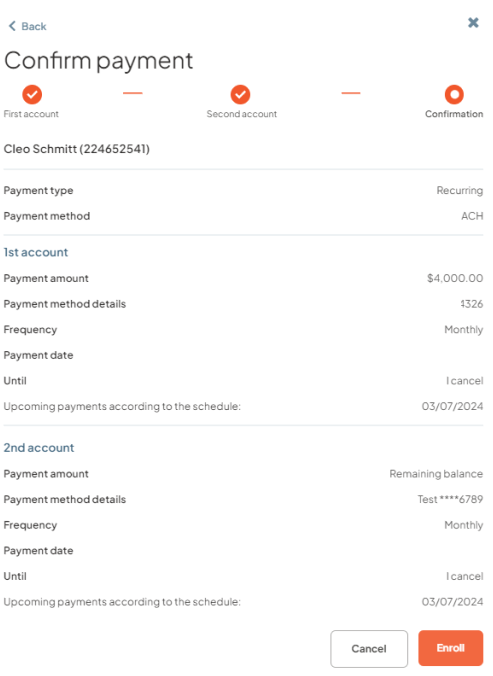
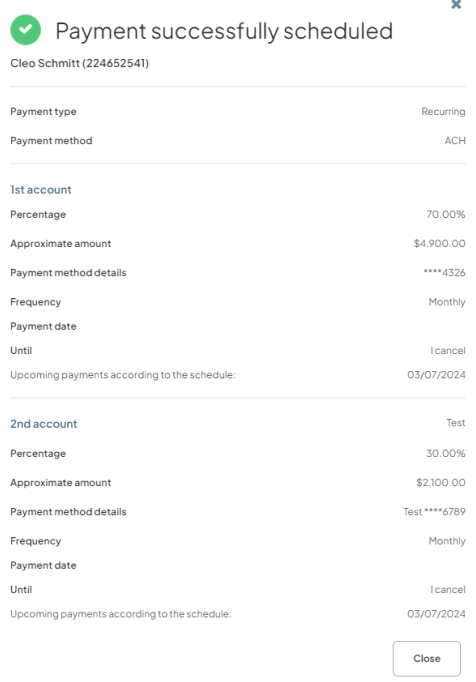
To schedule recurring split payments, the user will select recurring ‘Split payment ‘option and fill in the details for the first and second payment accounts, including either an Amount ($) or Percentage (%) split as applicable, as well as ‘Frequency’, ‘Payment Date’, and ‘Until’ options in the dropdowns on the schedule payments page. Elections made for the first account will be auto populated for the second account.
Was this article helpful?
That’s Great!
Thank you for your feedback
Sorry! We couldn't be helpful
Thank you for your feedback
Feedback sent
We appreciate your effort and will try to fix the article