Overview
In this article, we will review the SAGE General Ledger Export.
Video
SAGE General Ledger Export - v1 from Aline Ops on Vimeo.
SAGE General Ledger Export
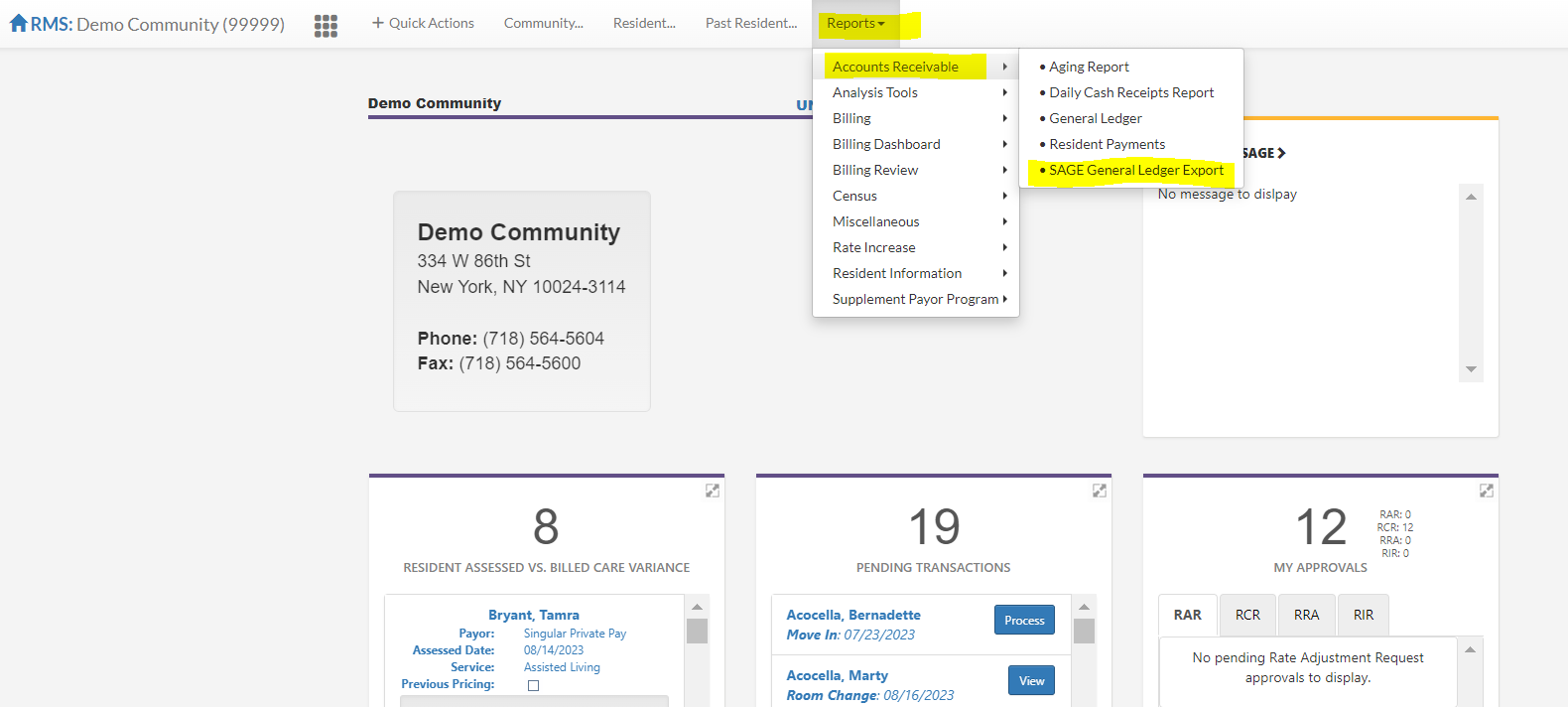
From your community dashboard select reports, accounts receivable, and sage general ledger export.
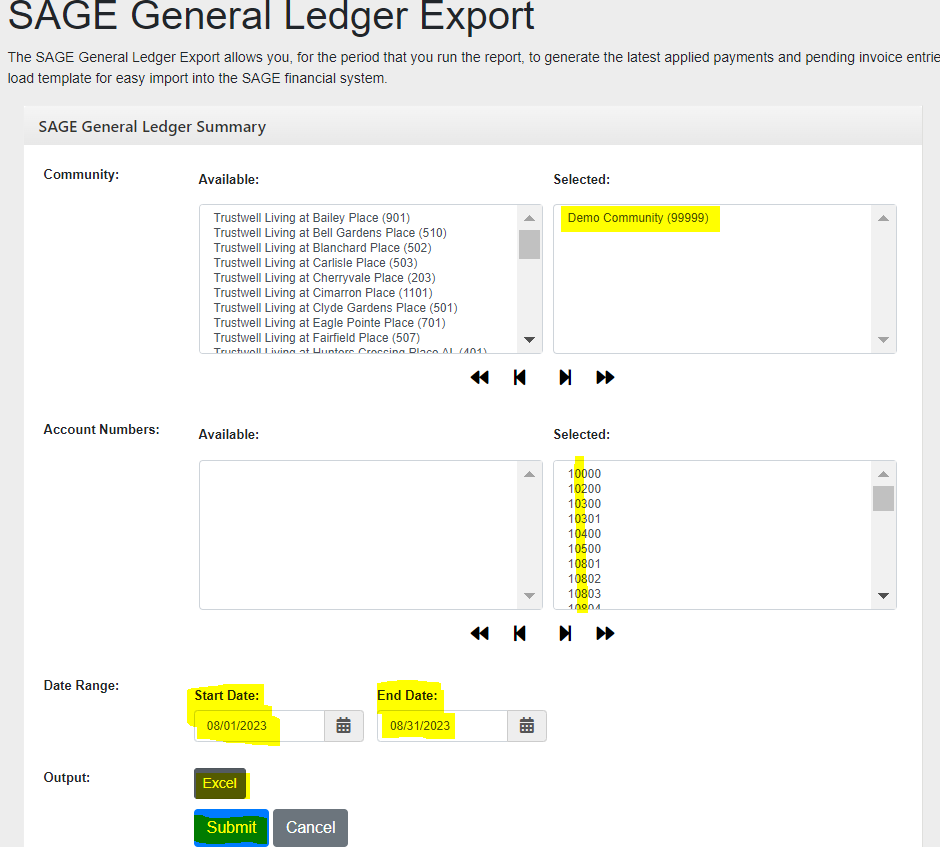
Select your community, all GL accounts (can also click the double right arrows to bring all accounts over at once), the first and last day of the month you are closing/reviewing, excel and click submit.
Here is the report ready for journal entry to close out the month. You can also utilize this report if you would like to know the total dollars in a GL for a time period. For example for Aug., there was a payment of $3,613.75 received shown below.

Was this article helpful?
That’s Great!
Thank you for your feedback
Sorry! We couldn't be helpful
Thank you for your feedback
Feedback sent
We appreciate your effort and will try to fix the article