Overview
In this article, we will review marking statement batch as complete.
Video
Marking a Statement Batch as Complete from Aline Ops on Vimeo.
Marking Statement Batch as Complete
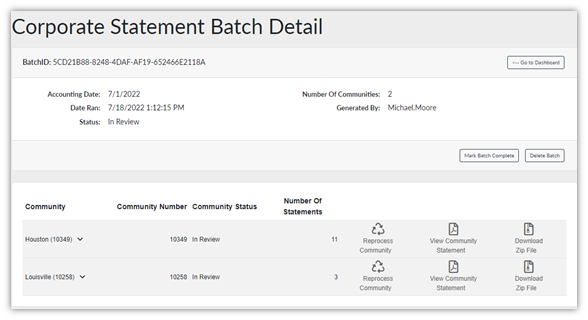
After the community has reviewed the statements, corrected any issues, and reprocessed the Statement Batch, the Statement Batch is ready to be marked complete. Ensure all modifications have been completed prior to marking the statement batch as complete. After marking the batch complete, no further modifications to the statement can be made. Any corrections must be issued for the following month.
Organizations utilizing the Aline Payments Application will have their resident account balances automatically post for payment after marking the batch complete.

Was this article helpful?
That’s Great!
Thank you for your feedback
Sorry! We couldn't be helpful
Thank you for your feedback
Feedback sent
We appreciate your effort and will try to fix the article