Overview
In this article, we'll discuss the details regarding the types of payment methods utilized in the Aline Payments application along with the steps required for adding in new payment methods.
What Types of Payment Methods Can Be Used?
Aline Payments utilizes both ACH debits and e-checks.
Processing ACH Payments
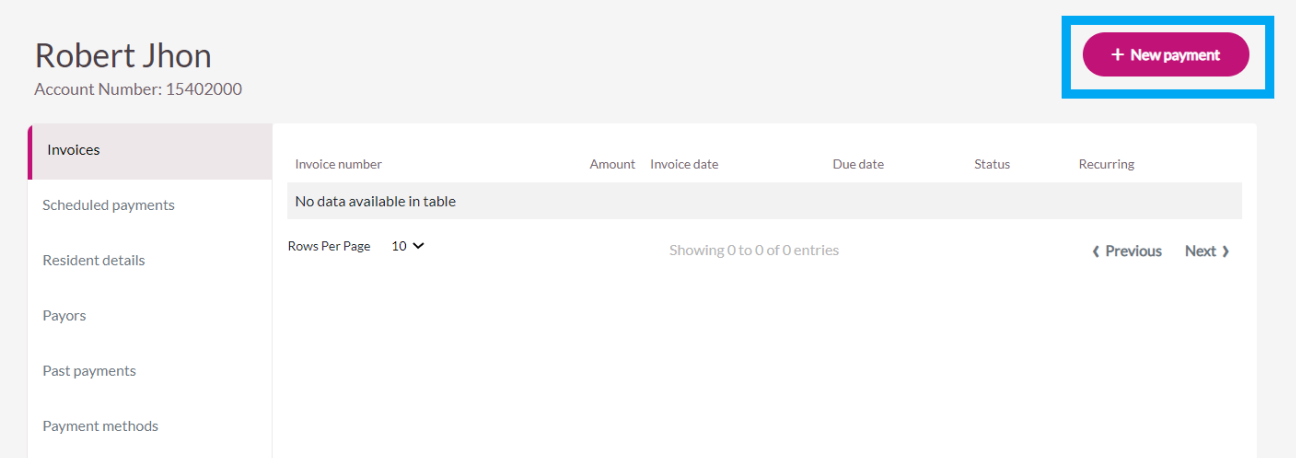
Step 1: Go to resident’s Profile
Step 2: Click “New Payment” in the upper right-hand corner of the page
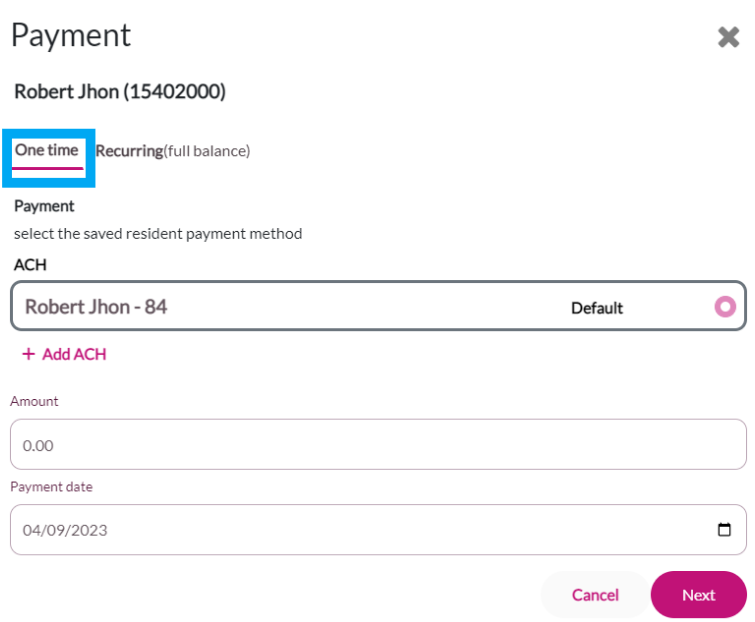
Step 3: Click “One time” payment and use default ACH or enter new ACH using “Add ACH”. Then click “Next”
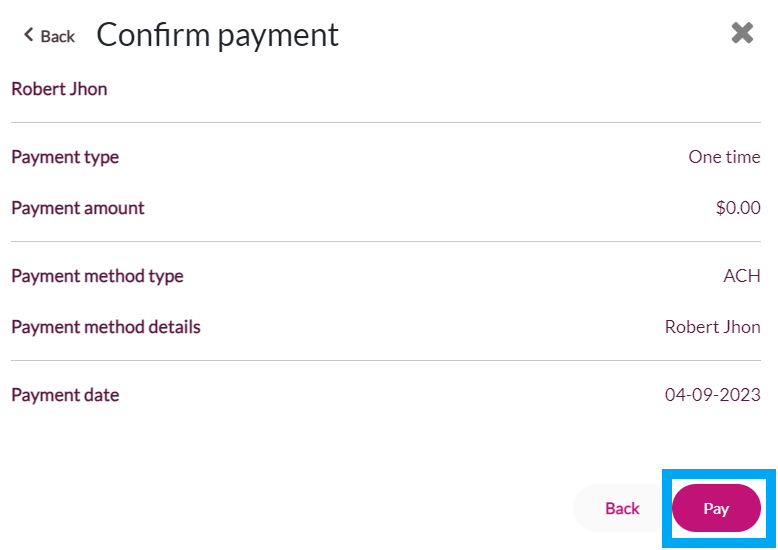
Step 4: Click “Pay” on the confirm payment screen
Step 5: Then, you will see a successful one-time payment screen.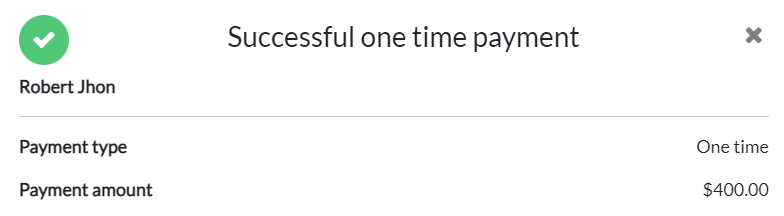
Processing Reoccurring ACH Payments
Step 1: Go to resident’s Profile
Step 2: Click “New Payment” in the upper right-hand corner of the page 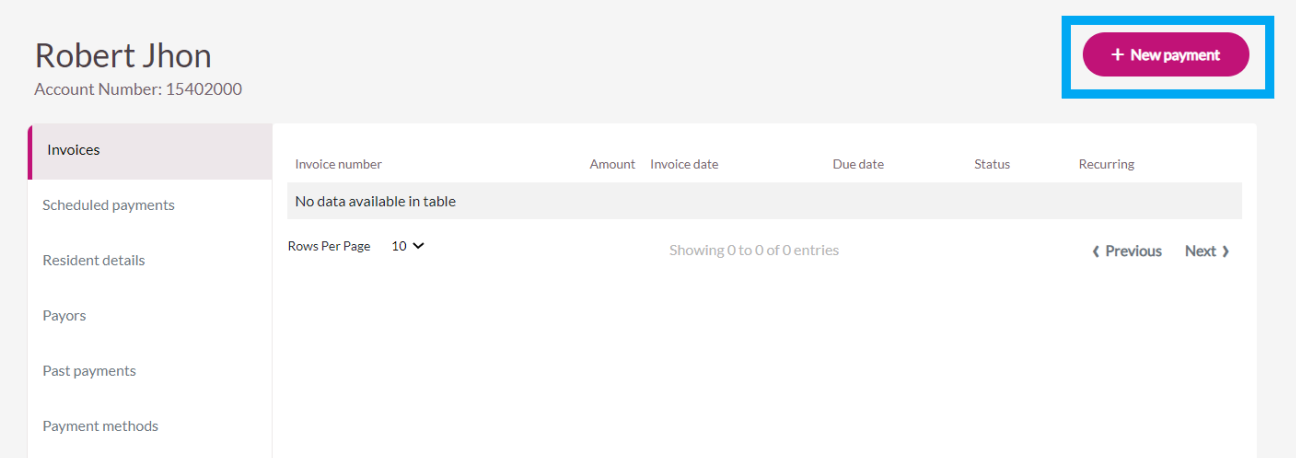
Step 3: Select “Recurring” on the payments page and use default ACH or enter new ACH using “Add ACH”. Then click “Next” 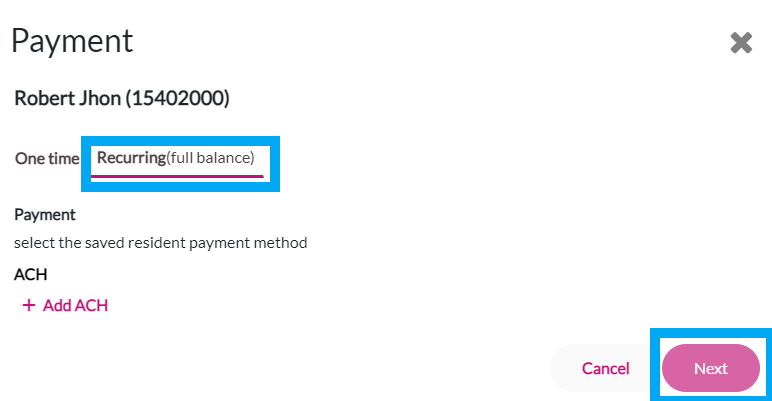 Step 4: Select” Frequency”, “Payment Date, and ‘Until” options in the dropdowns on the schedule payments page. Then click “Schedule”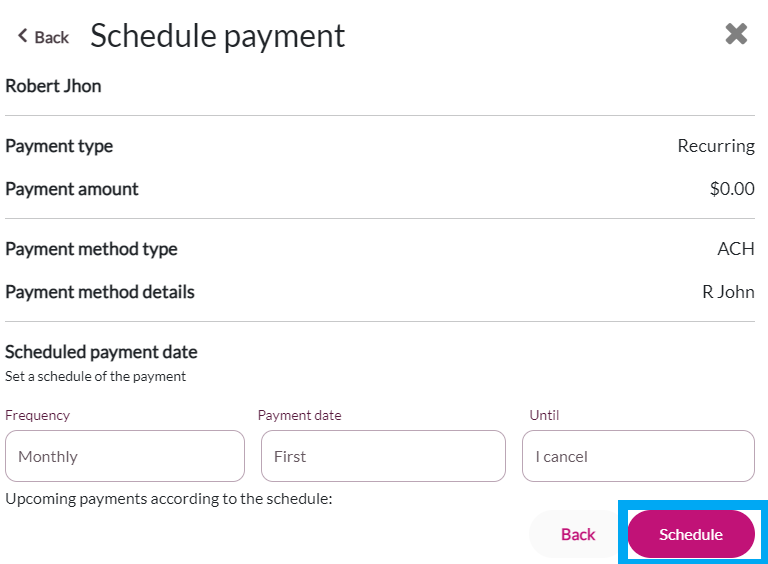
Updating Responsible Party Payment Method
Step 1: Click “Payment Methods” tab in the resident’s profile
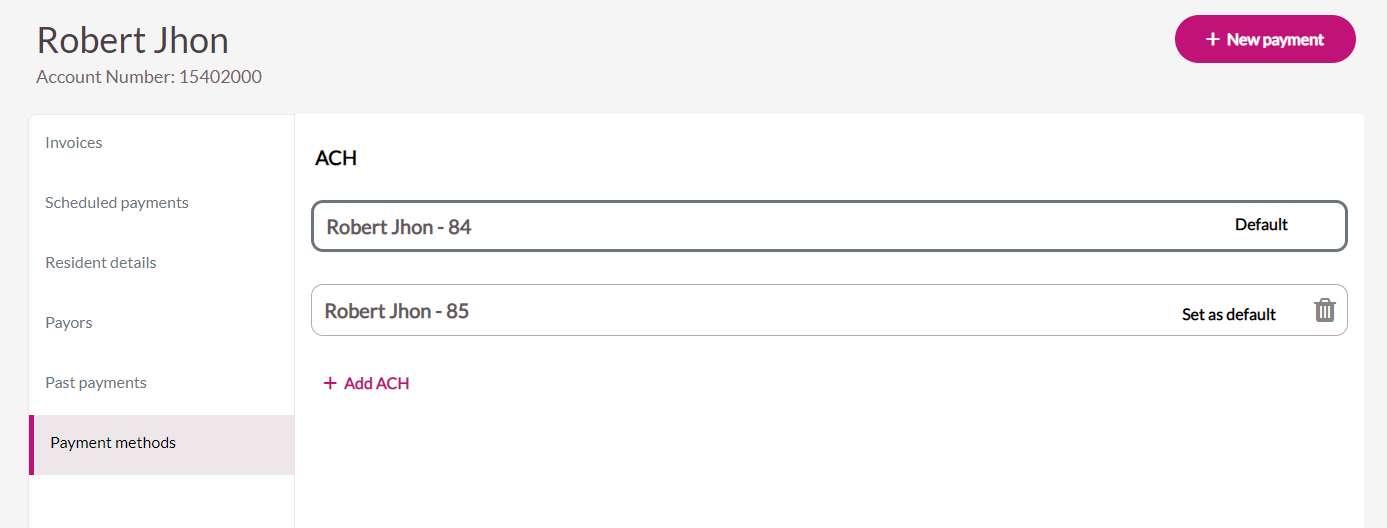
Step 2: Add, modify, set as default, or delete ACH accounts, as needed
Was this article helpful?
That’s Great!
Thank you for your feedback
Sorry! We couldn't be helpful
Thank you for your feedback
Feedback sent
We appreciate your effort and will try to fix the article