Overview
In this article, we will review how to change a level of care.
Changing a Care Level
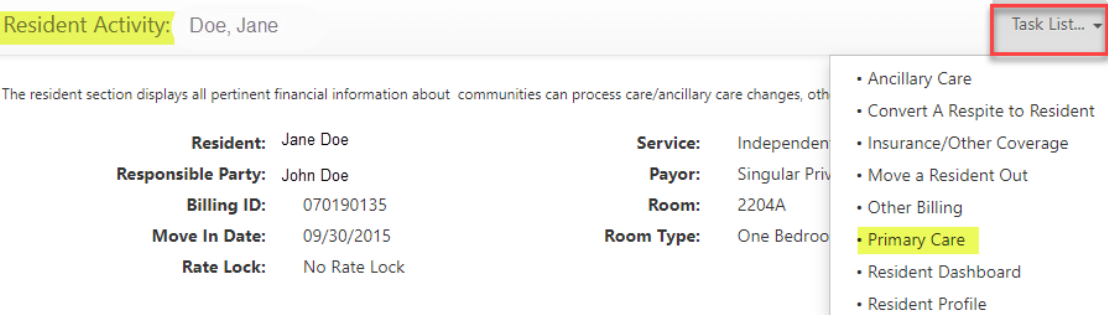
Step 1: On the resident’s Lease Management page, scroll down to the Resident Activity section of the page and click the Task List menu, then select Primary Care.
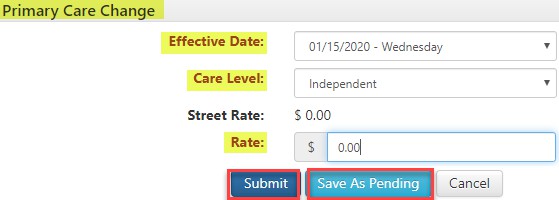
Step 3: Return to the resident’s Lease Management page and scroll down to the Resident Activity section of the page. a. Click the Task List menu, then select Ancillary Care.
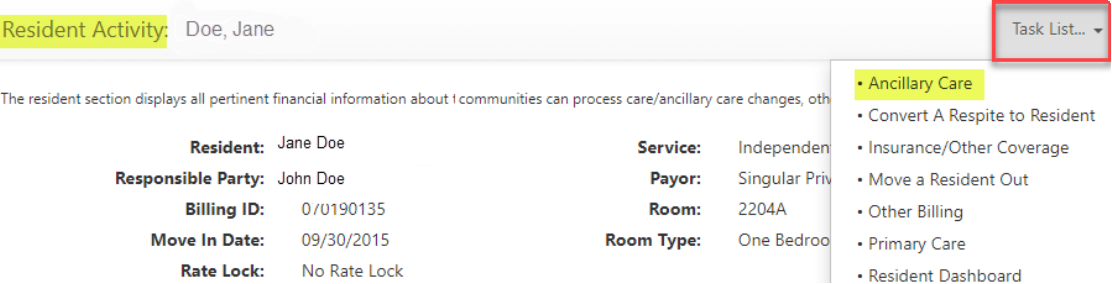
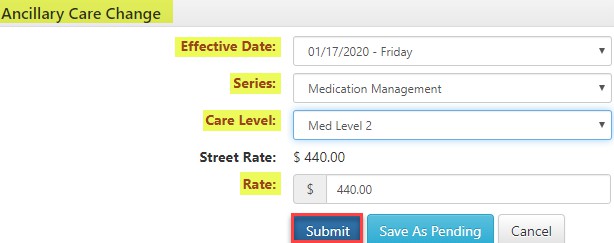
Step 4: Use the Ancillary Care window to update the Effective Date, Care Level, and Rate. Click Submit.
Was this article helpful?
That’s Great!
Thank you for your feedback
Sorry! We couldn't be helpful
Thank you for your feedback
Feedback sent
We appreciate your effort and will try to fix the article