Overview
Track and analyze assessment variances, care level changes, and overdue assessments to pinpoint improvement areas across communities. The Assessment app assists in coordinating resident care and facilitating informed decisions, as well as providing reporting about residents on short term leaves (STL).
Note: the reports are all on a standardized refresh schedule. Check the Last Refresh date to know when the report was last updated.
Assessment Overview
Identify care level discrepancies, track overdue assessments, and analyze changes in care levels using leaderboards.
Data can also be exported, filtered, and drilled down.
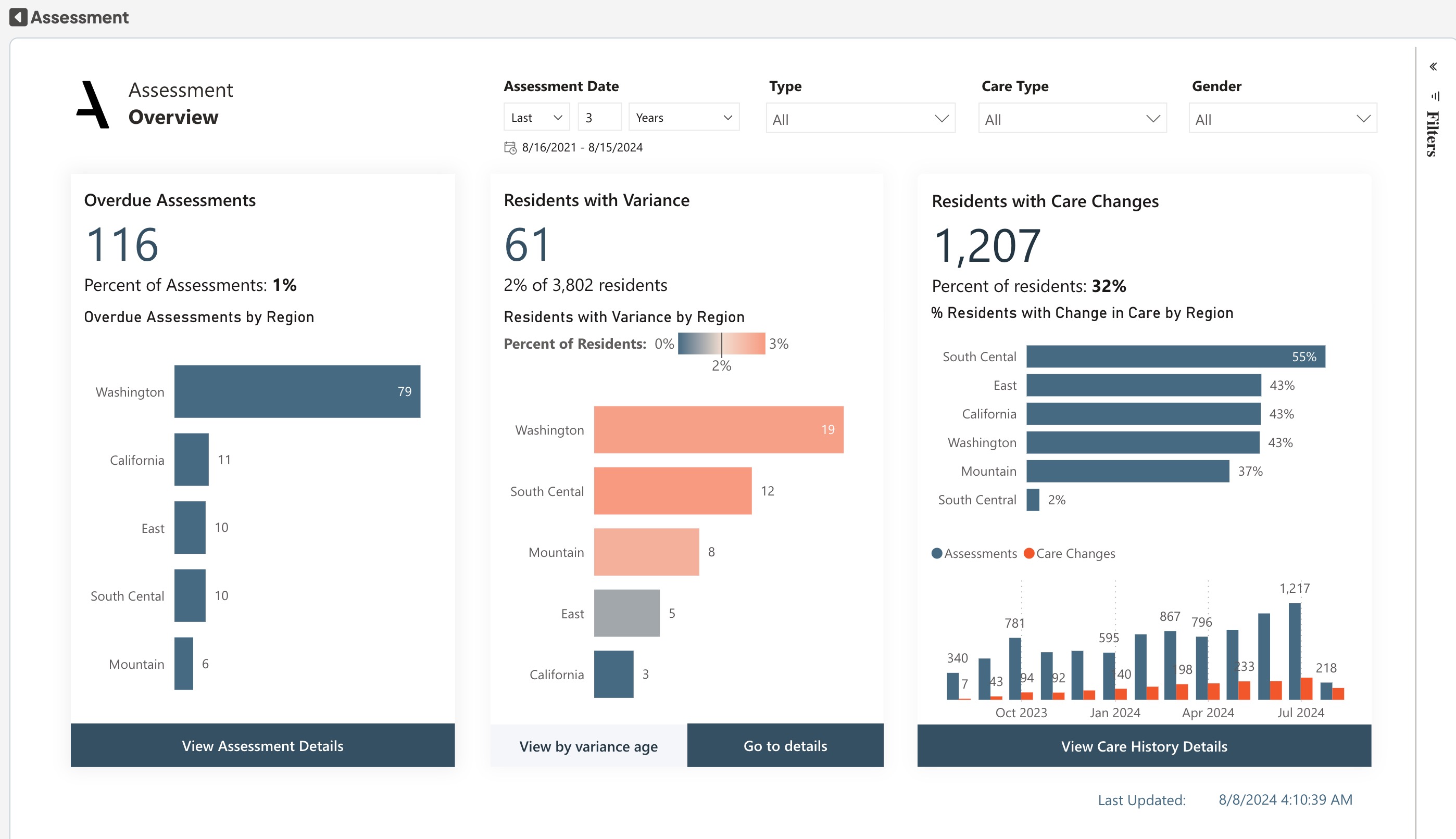
Identify communities with a high volume of variances, as well as residents with persisting variance. Monitor the number of assessments that are overdue by community and drill down to the resident level, ensuring timely
completion for proper care planning and regulatory compliance. Assess the percentage of residents who have experienced changes in their care level over time.
The bar chart shows the amount of changes compared to the amount of assessments, which can be compared with industry benchmarks. The bar charts drill down to the resident level for the variance and overdue assessment charts, to show variance age and overdue days, respectively. The buttons beneath each chart navigate to corresponding details.
Dimensions:
- Drill-down Dimensions from division to region to community
Assessment Overview's Metrics & Their Definitions:
- Past Due Assessments: The number of residents with a Next Assessment Date occurs before today, but have not been completed
- Resident with Variance: The number of residents with a discrepancy between the assessed and billed amounts
- Residents with Change in Care%: The percentage of residents that have had a change in care level in the past year.
- Care changes: The number of instances where residents have had a change in their care level in the past 12 months.
- Assessments: The number of resident assessments
- Filters: Assessment Type, Care Type, Gender and Date Filter
Assessments Details Report
Analyze current and pending assessment details, examine variance, and track care level changes.
Data can also be exported, filtered, and drilled down.
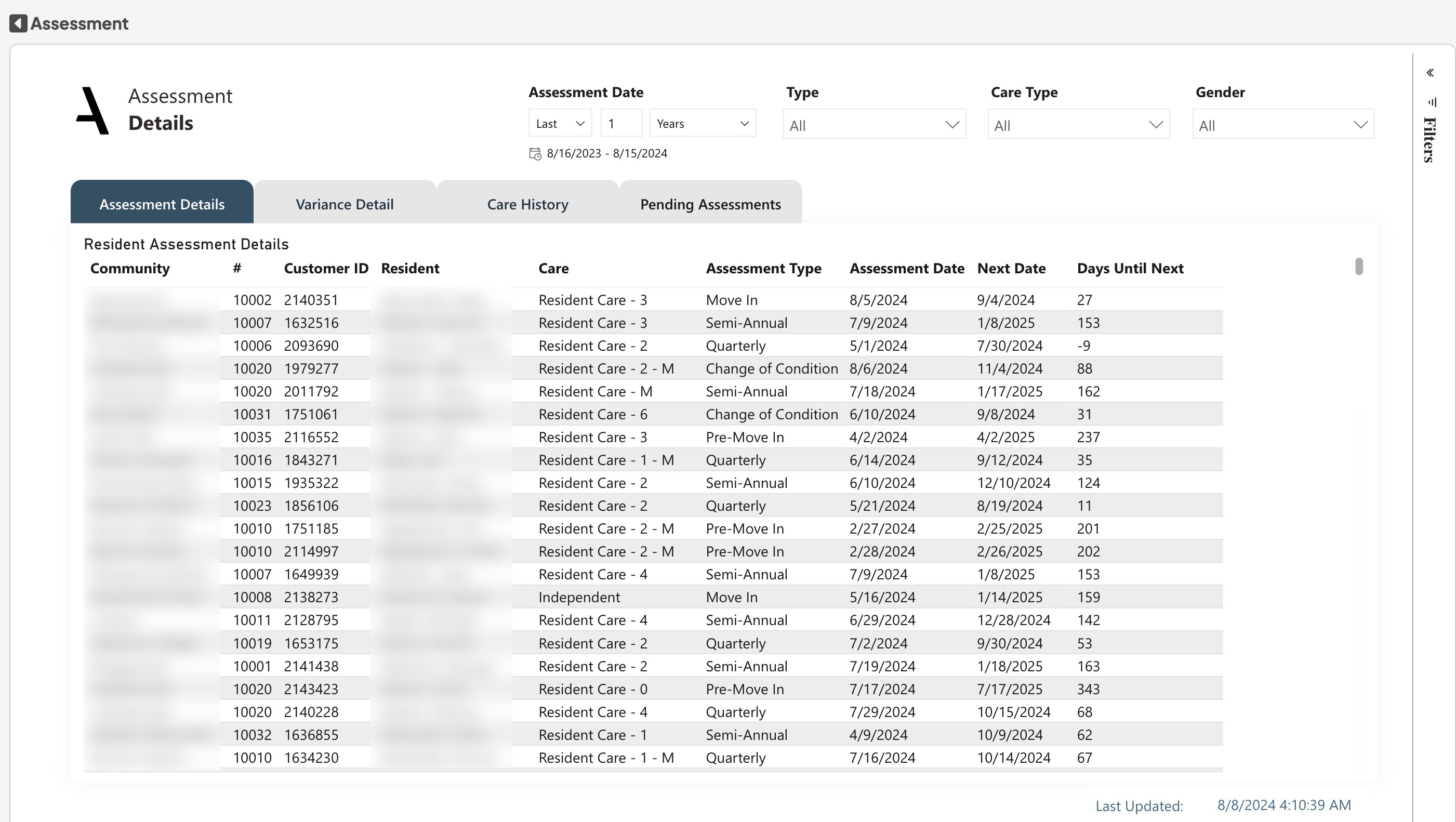
The Assessment Details view allows you to dive into the current assessment details. You can review the table to gain insights into assessment status and prioritize actions accordingly. Explore the Variance Details view to gain a comprehensive understanding of the variances between the assessed care and billed care. This detailed information helps identify discrepancies and facilitates accurate billing adjustments. The Care History pivot table provides an overview of care level changes for communities and residents. You can analyze the number of care level changes and review the dates & new care levels to understand the care progression of a resident over time.
Toggle buttons: Utilize the toggle buttons to switch between different table views on the Assessment Details sheet, such as Assessment Details, Variance Details Care History and Pending Assessment. The Current Assessment Details table is sorted by Days to Next Assessment to easily identify overdue assessments.
Assessment Details metrics and their definitions
- Assessment Date: The date of the resident's most recent assessment
- Next Date: The date of the resident's next assessment
- Days Until Next: The number of days until the next scheduled resident assessment
- Variance Age: The average length of time an assessed versus billed variance has existed, indicating the average duration of a discrepancy in potential revenue
- Care Changes: Indicates if Assessment resulted in a Care level change
- Filters: Assessment Type, Care Type, Gender and Date Filter
Short Term Leave (STL) Report
Monitor and analyze resident departures. Data can also be exported, filtered, and drilled down.
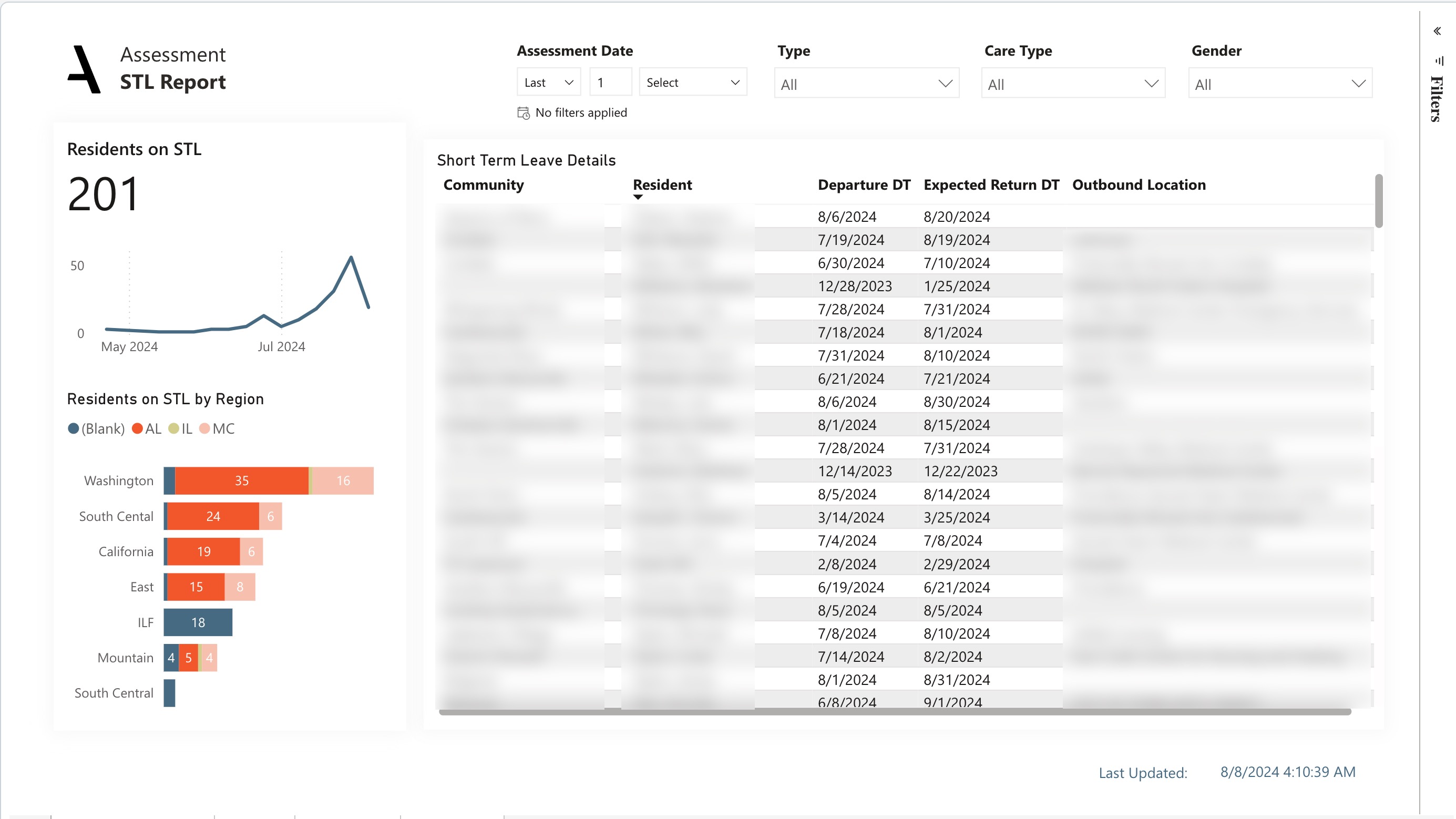
The STL Report sheet provides essential information about residents, including departure dates, expected return dates, locations, and absence age. The Line chart display the Trend of Residents for Month level. The bar charts drill down to the Region and Community level to show the residents on STL. The Table displays the Short Term Leave Details of the Residents.
STL Report Metrics & Their Definitions:
- Residents on STL: The number of residents currently out on short-term-leave
- Filters: Assessment Type, Care Type, Gender and Date Filter
Was this article helpful?
That’s Great!
Thank you for your feedback
Sorry! We couldn't be helpful
Thank you for your feedback
Feedback sent
We appreciate your effort and will try to fix the article