Completing a Move Out
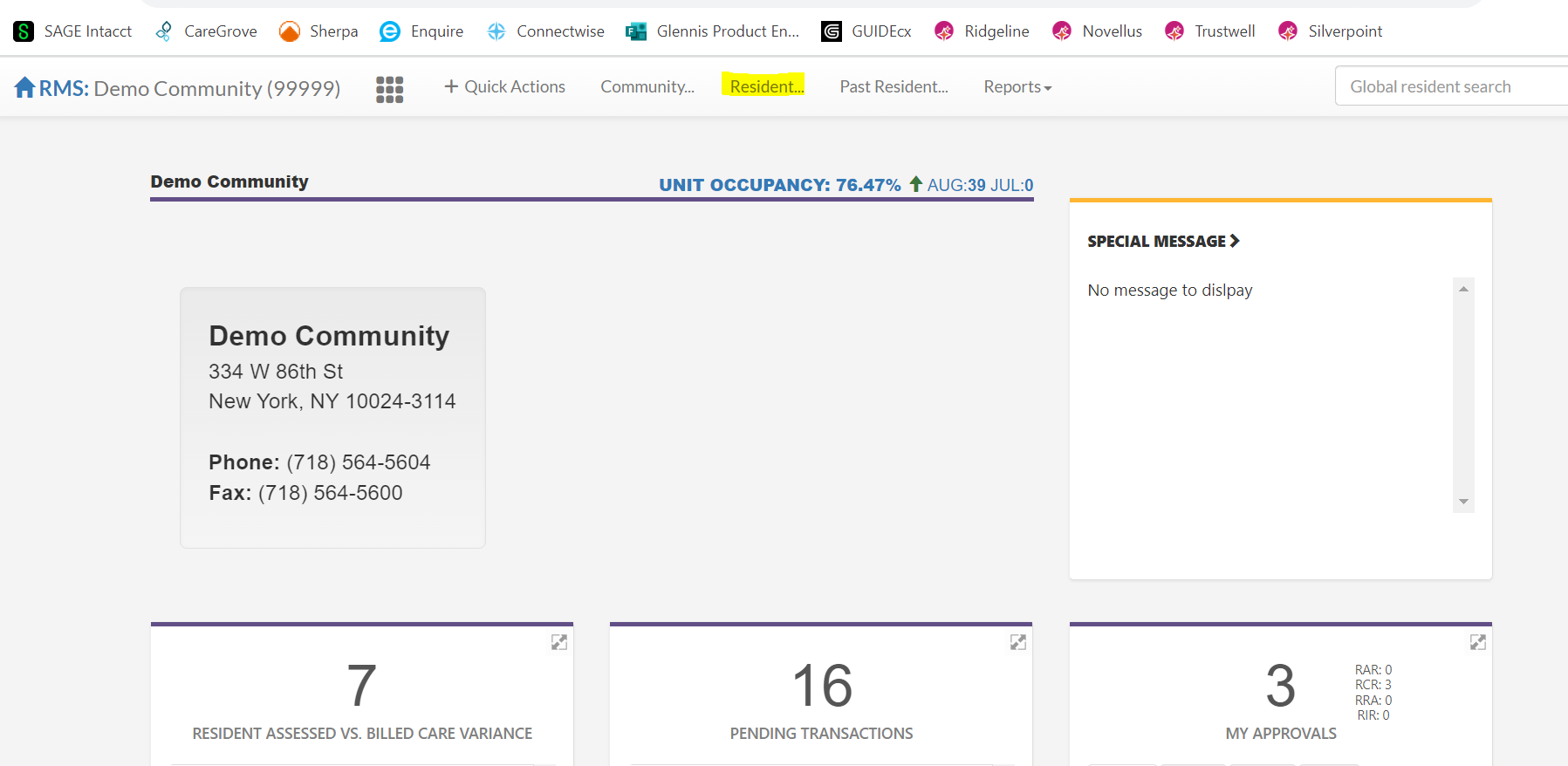
Step 1: From your community home page, click resident and select the resident who is moving out.
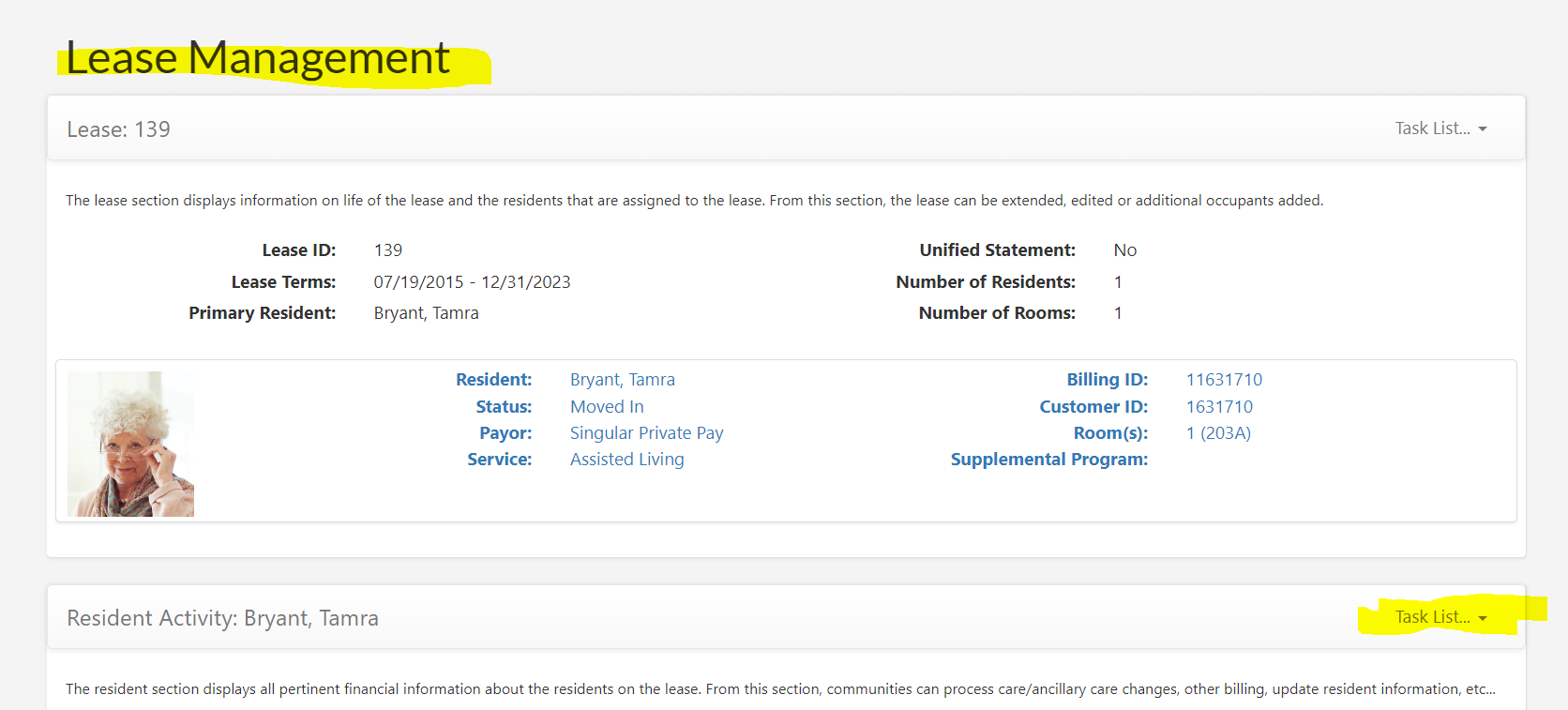
Step 2: From the resident profile page, select Task List Menu from the resident activity section
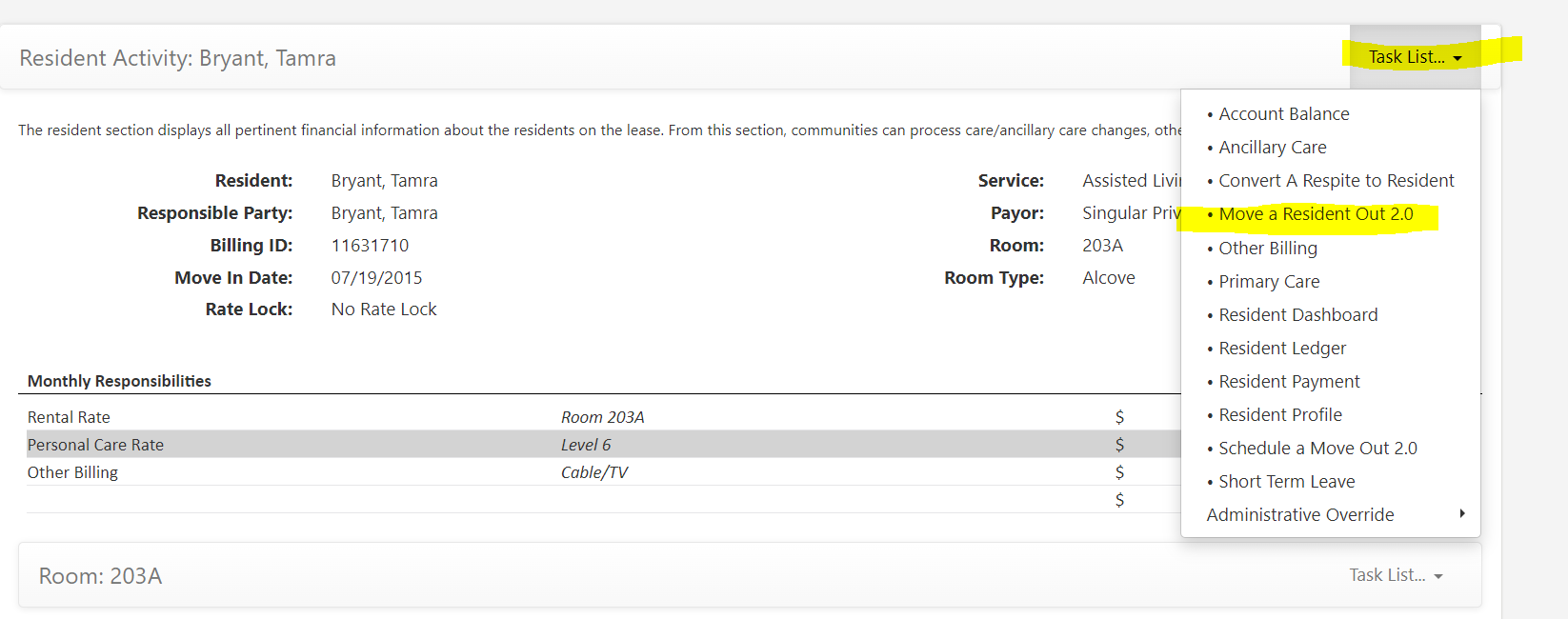
Step 3: Under the Resident Activity Task List Menu, select Move a Resident Out
Step 4: Select edit in the move out details sections and fill in the following items under Move Out Details and Location Details:
- Notice Date
- Bill to Date (when financial responsibility ends)
- Move Out Reason
- Move Out Category
- Notes (optional)
- Location Type
- Location Details
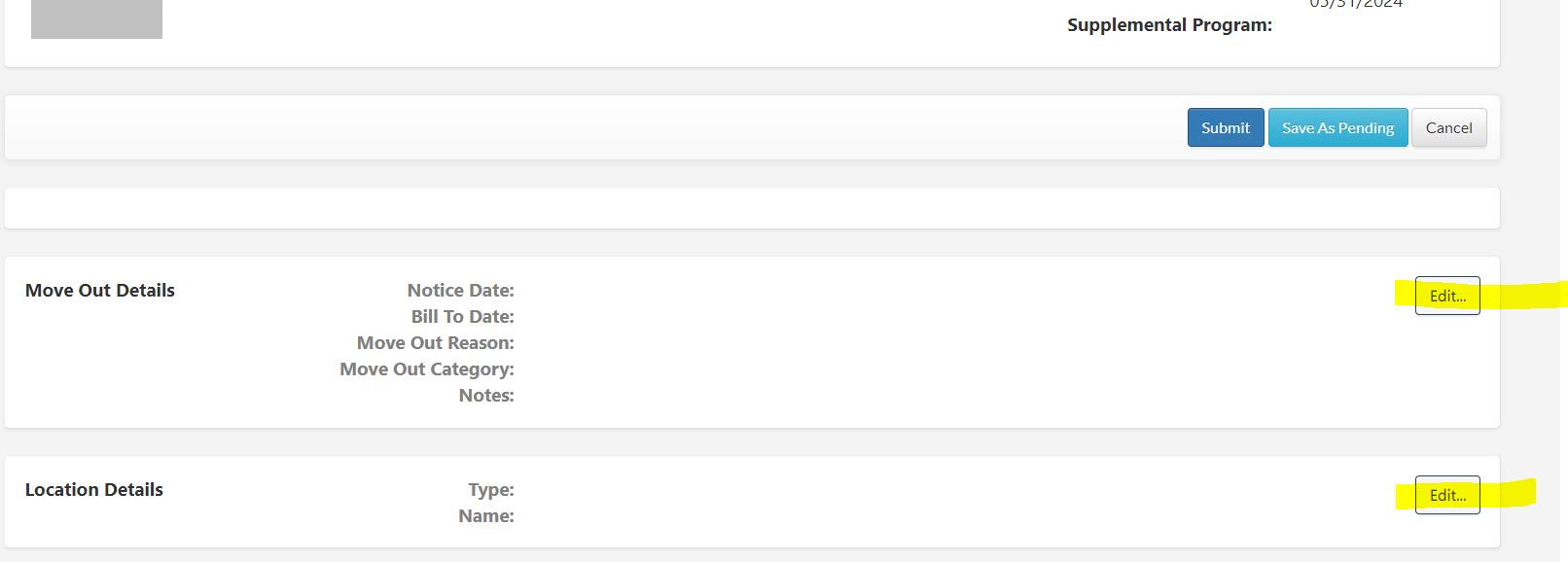
Step 5: Complete all lines and notes in the move out details section and select Submit. A final bill will display. Review the invoice for accuracy before selecting Submit one final time.
Was this article helpful?
That’s Great!
Thank you for your feedback
Sorry! We couldn't be helpful
Thank you for your feedback
Feedback sent
We appreciate your effort and will try to fix the article