Overview
In this article, we will review how to print documents.
Print Documents
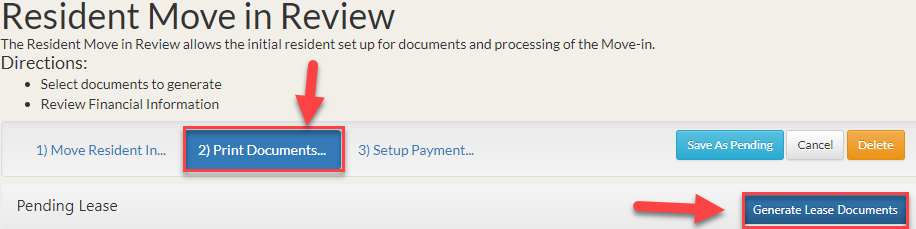
Step 1: Once the completed Move Resident In tab populates, scroll towards the top of the page and click the Print Documents tab.
Step 2: Click Generate Lease Documents.
Step 3: In the Lease Documents window, use the check box(es) to select each required document. Then click Open.

Was this article helpful?
That’s Great!
Thank you for your feedback
Sorry! We couldn't be helpful
Thank you for your feedback
Feedback sent
We appreciate your effort and will try to fix the article