Overview
Edit a Payment
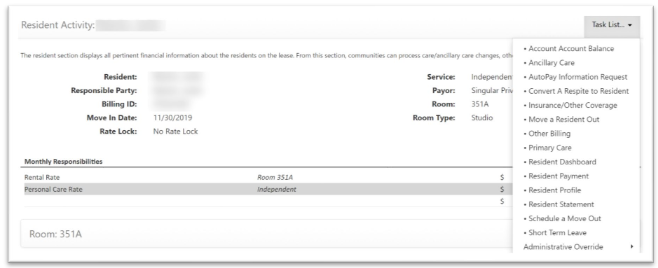
Step 1: Go to the Resident’s Lease Management page and select Resident Payment from the Resident Activity Task List.
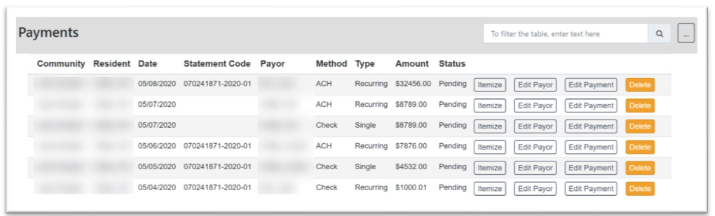
Step 2: On the Resident Payment Page, select the Edit Payment button on the payment you would like to edit.
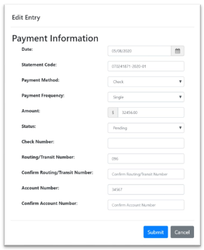
Step 3: After selecting the Edit Payment button, the Edit Entry Modal will appear. Make the desired changes and select the Submit button.
Step 4: Once Submitted, the payment’s changes will display in Payments.
Was this article helpful?
That’s Great!
Thank you for your feedback
Sorry! We couldn't be helpful
Thank you for your feedback
Feedback sent
We appreciate your effort and will try to fix the article