Overview
In this article we will review account codes.
Account Codes
For Account Codes, you can Edit Account Information, Add New Distribution Record to Amount, and Delete Account Information.
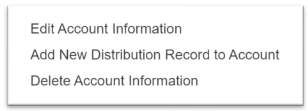
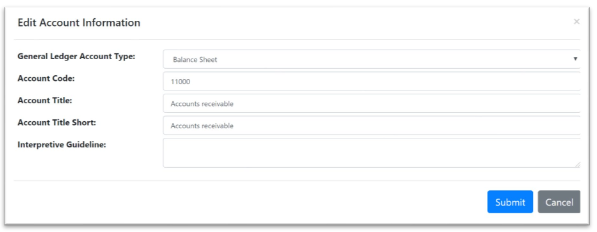
Step 1: Select Edit Account Information, enter the changes you’d like, and select Submit.
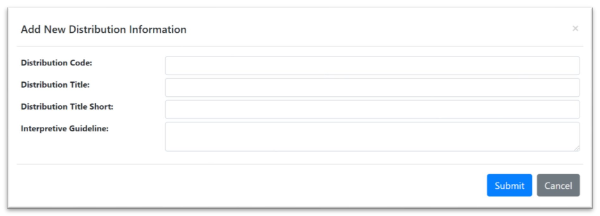
Step 2: Select Add New Distribution Record to Account, enter the Distribution Information, and select Submit.
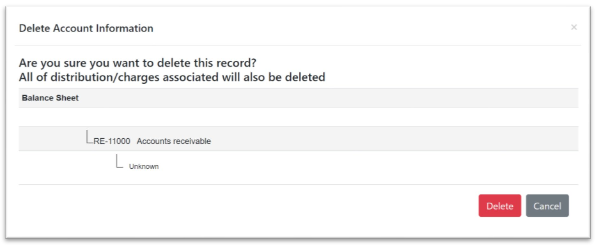
Step 3: Select Delete Account Information. You will be prompted with a confirmation, and the affected children. If you are certain, select Delete.
Was this article helpful?
That’s Great!
Thank you for your feedback
Sorry! We couldn't be helpful
Thank you for your feedback
Feedback sent
We appreciate your effort and will try to fix the article