Overview
In this article, we will review the steps to manage chart of accounts.
Video Tutorial
Steps to Manage Chart of Accounts
Step 1: Select the Waffle Menu.
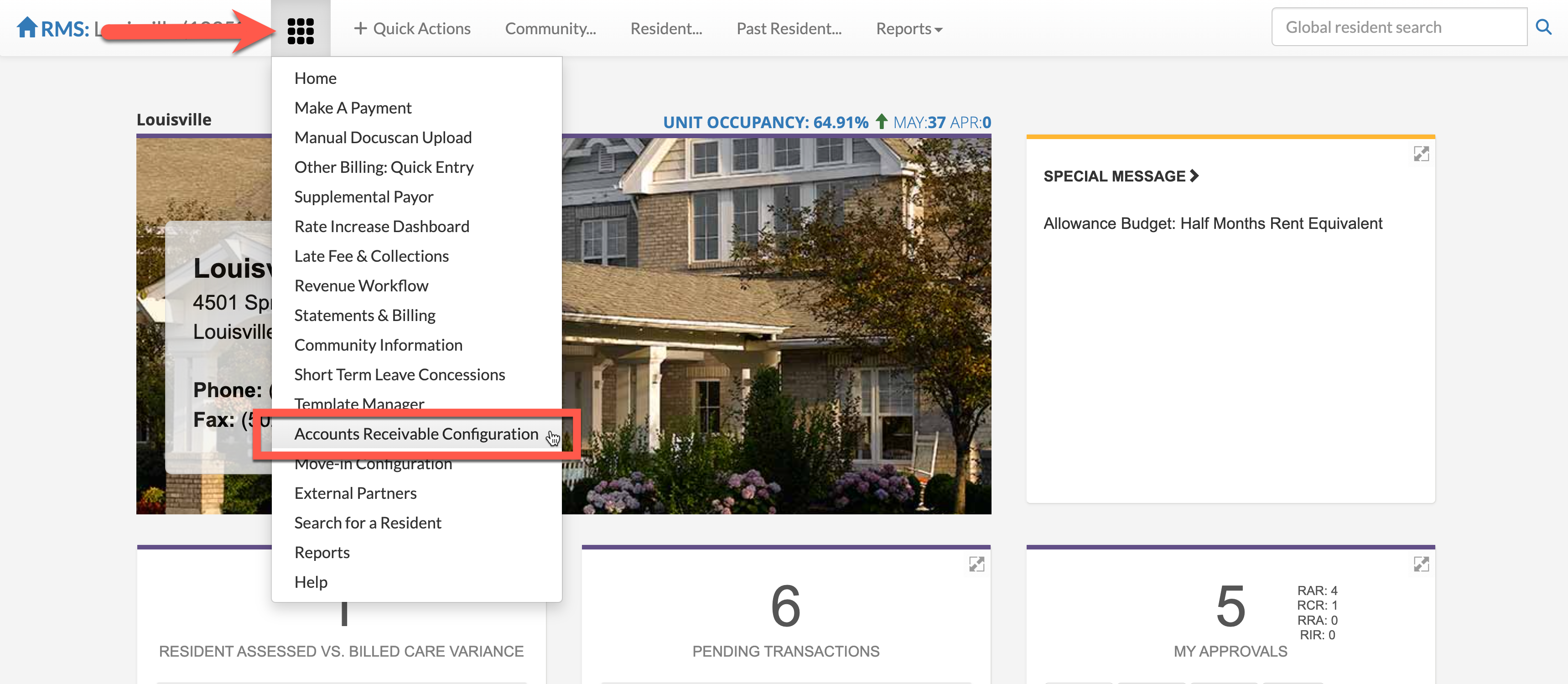
Step 2: From the Waffle Menu, select Accounts Receivable Configuration.
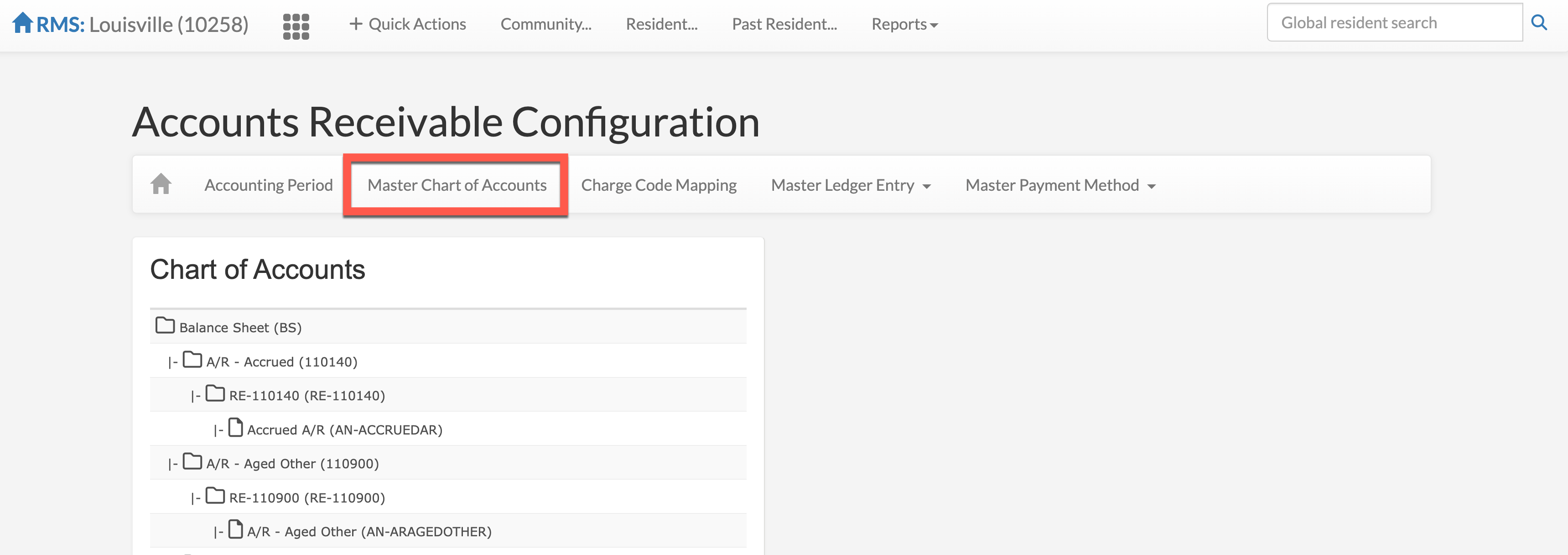
Step 3: To view our Chart of Accounts, select Master Chart of Accounts.
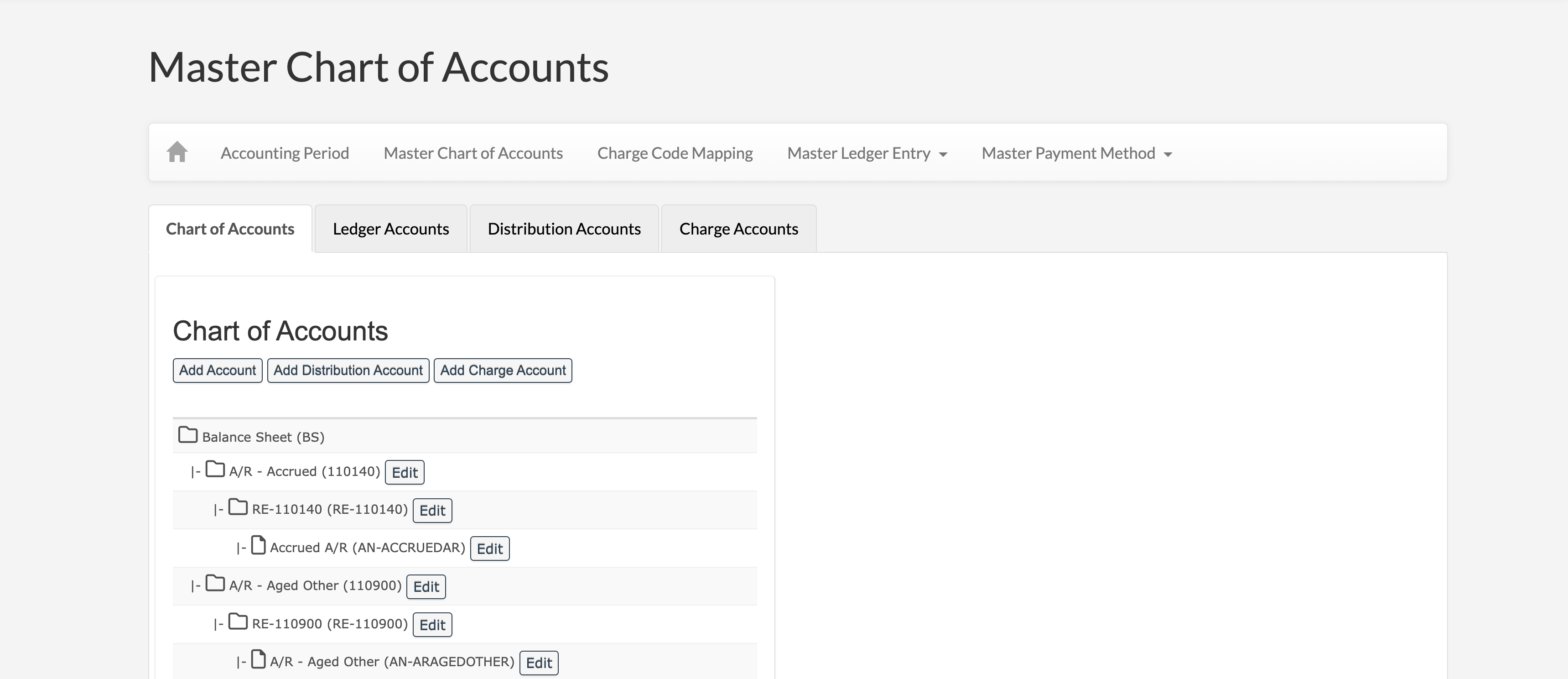
On the Chart of Accounts Page, you will see the Chart of Accounts in its entirety. Account Codes, Distribution Codes, and Charge Codes can be edited from this page.
Was this article helpful?
That’s Great!
Thank you for your feedback
Sorry! We couldn't be helpful
Thank you for your feedback
Feedback sent
We appreciate your effort and will try to fix the article