Overview
In this article, we will review managing VLIT payor program.
Manage VLIT Payor Program
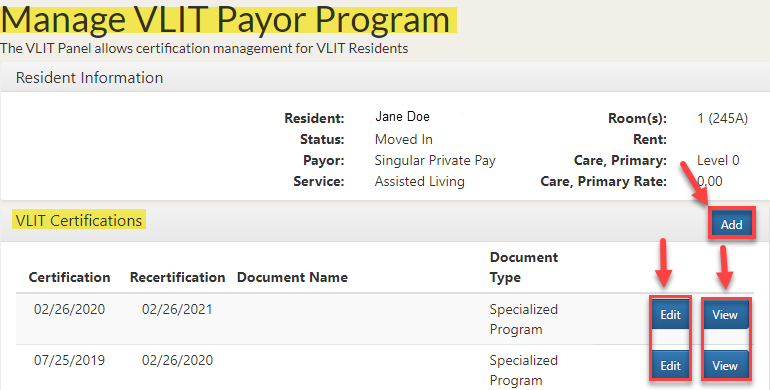
Step 1: To edit or view an existing certification, click Edit or View.
Step 2: To add a VLIT Certification to a resident’s profile, click Add.
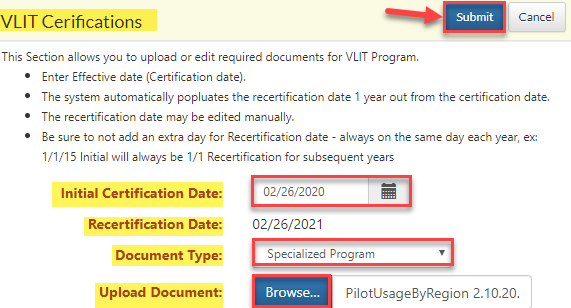
Step 3: On the VLIT Certifications window, enter the Initial Certification Date, Recertification Date, and Document Type, then click Submit.
Was this article helpful?
That’s Great!
Thank you for your feedback
Sorry! We couldn't be helpful
Thank you for your feedback
Feedback sent
We appreciate your effort and will try to fix the article