Overview
In this article, we will review the payor supplement program.
Payor Supplement Program
Step 1: Select the appropriate community.
Step 2: Click the Community tab at the top of the Resident Management homepage.

Step 3: Use the Please Select a Community window to find the appropriate community.
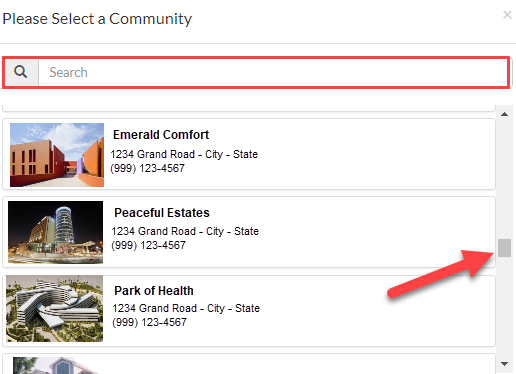
Step 4: Once on the Community page, click the Resident tab.

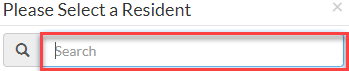
Step 5: In the Please Select a Resident window, search for and select a resident. Search by Name, Resident ID #, Room #.
Step 6: Click the picture of the resident to be directed to their Lease Management page.
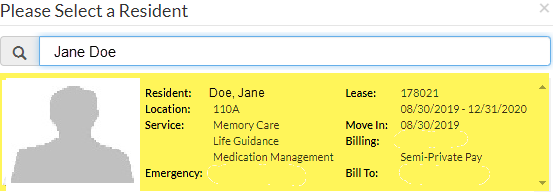
Step 7: On the resident’s Lease Management page, scroll down to the Resident Activity section of the page.
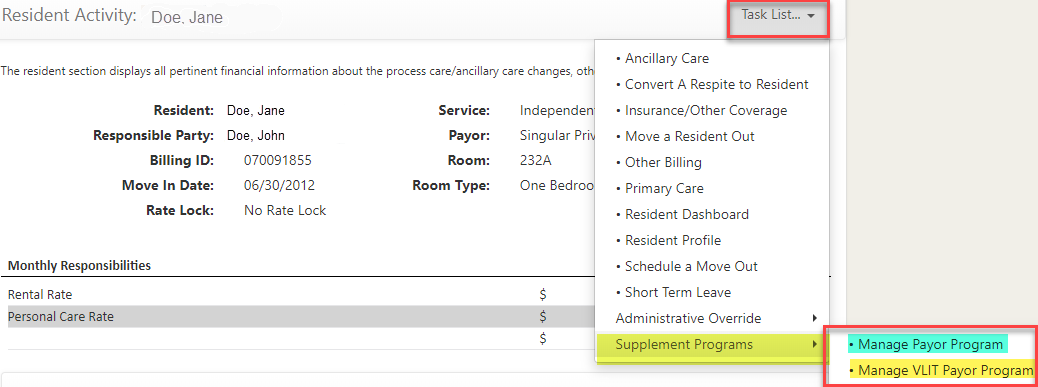
Step 8: Click the Task List menu, then select Supplemental Programs > Select either Manage Payor Program or Manage VLIT Payor Program.
Was this article helpful?
That’s Great!
Thank you for your feedback
Sorry! We couldn't be helpful
Thank you for your feedback
Feedback sent
We appreciate your effort and will try to fix the article