Overview
In this article, we will review how to create a write off.
Creating a Write-Off
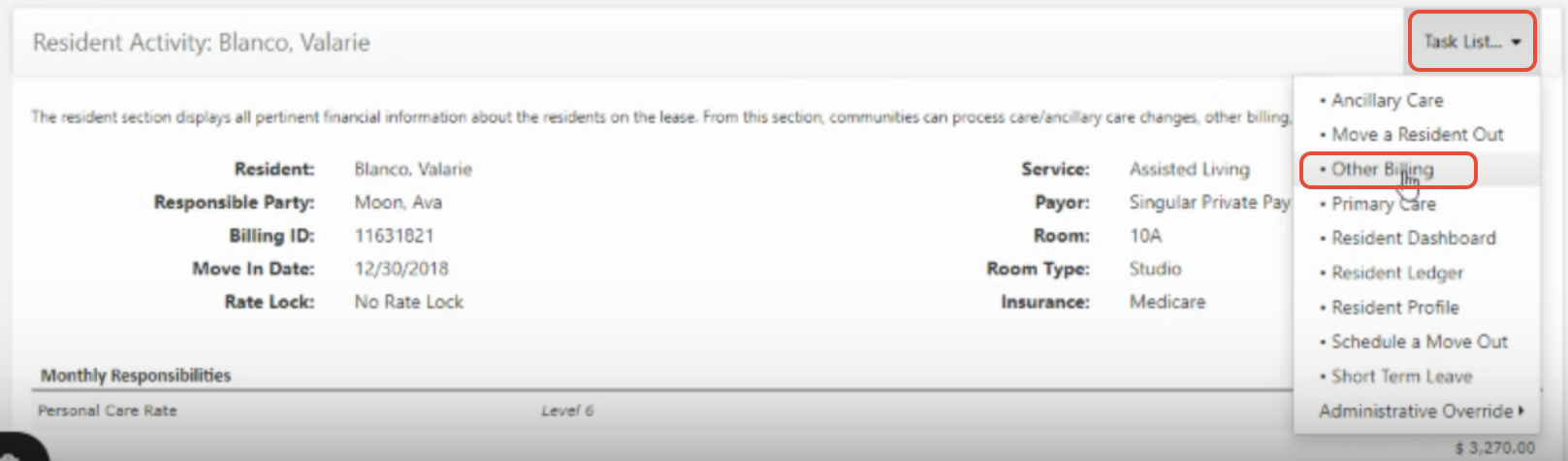
Step 1: Navigate to a resident profile and select Task List then Other Billing option in the drop down
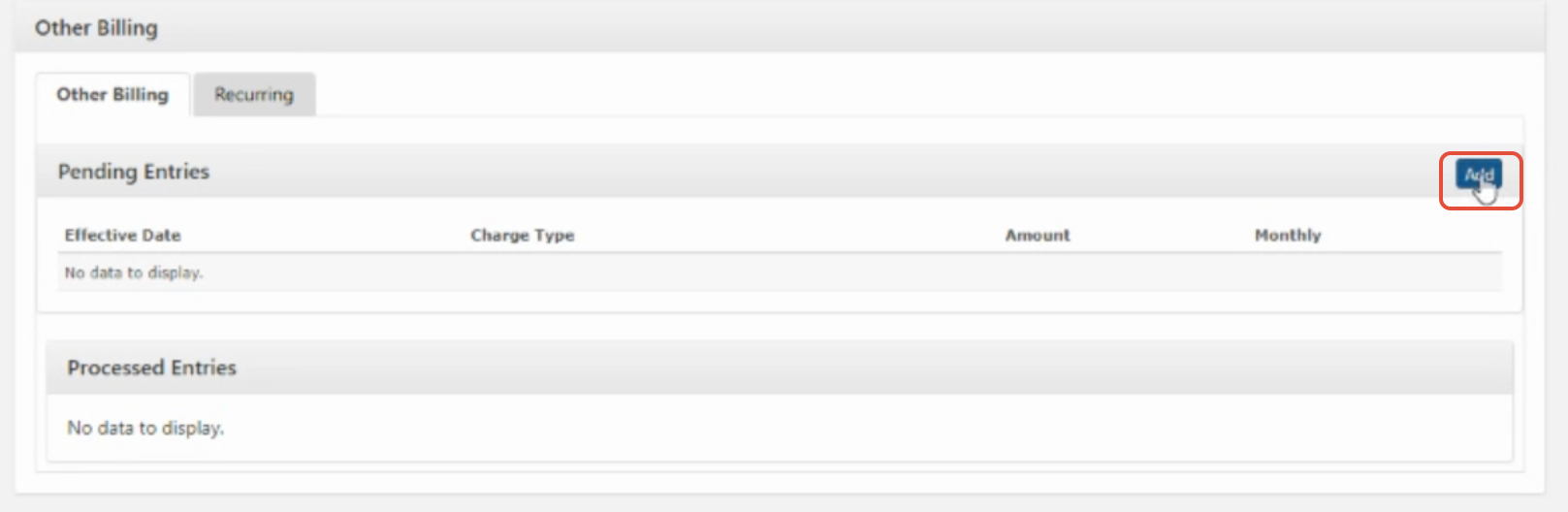
Step 2: On the next screen, click the 'Add' button
Step 3: A screen will populate to fill out the transaction type, effective date, amount and a note.
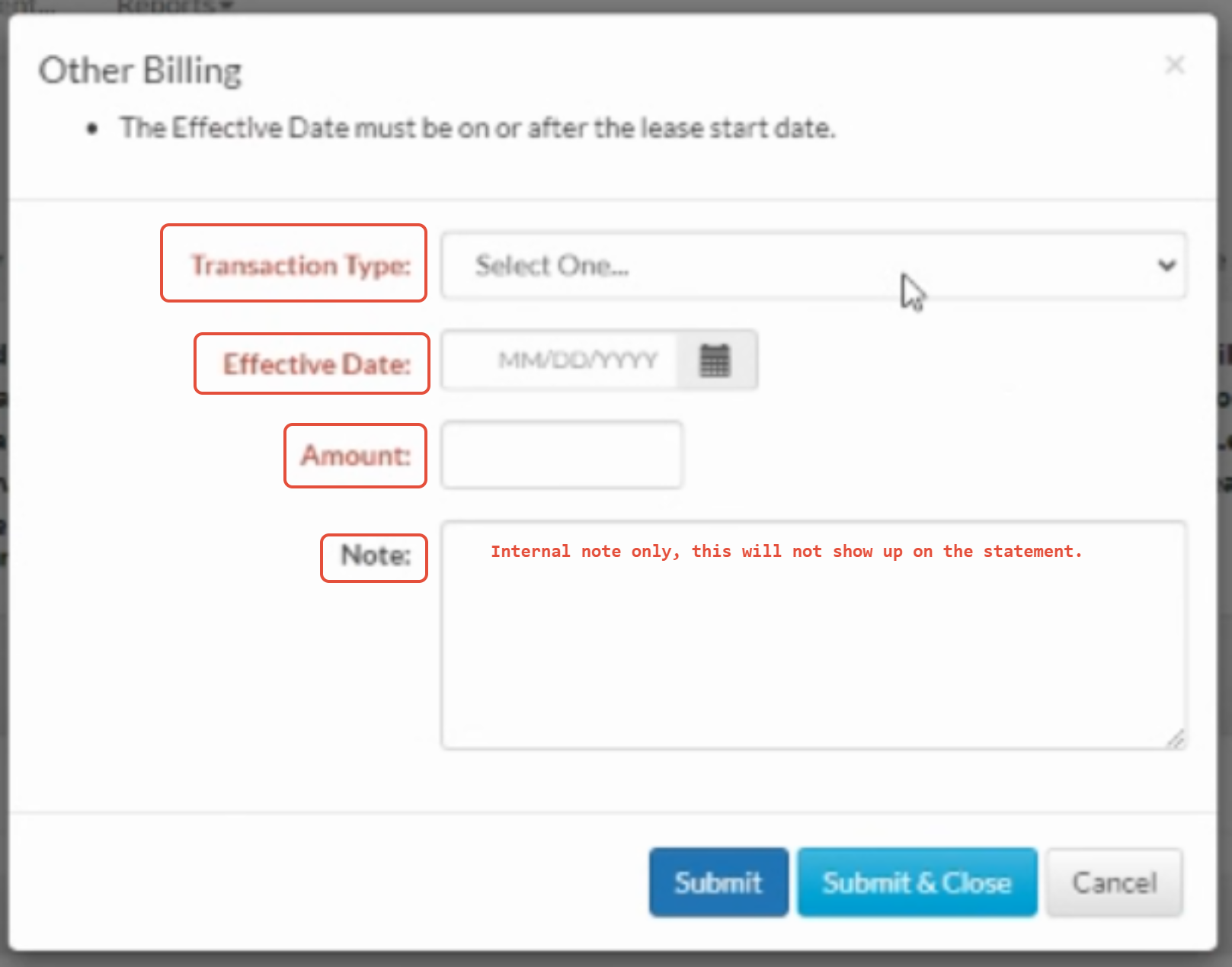
Note: When writing off a charge, you will use "write off credit" when writing off a credit, you will use "write off"
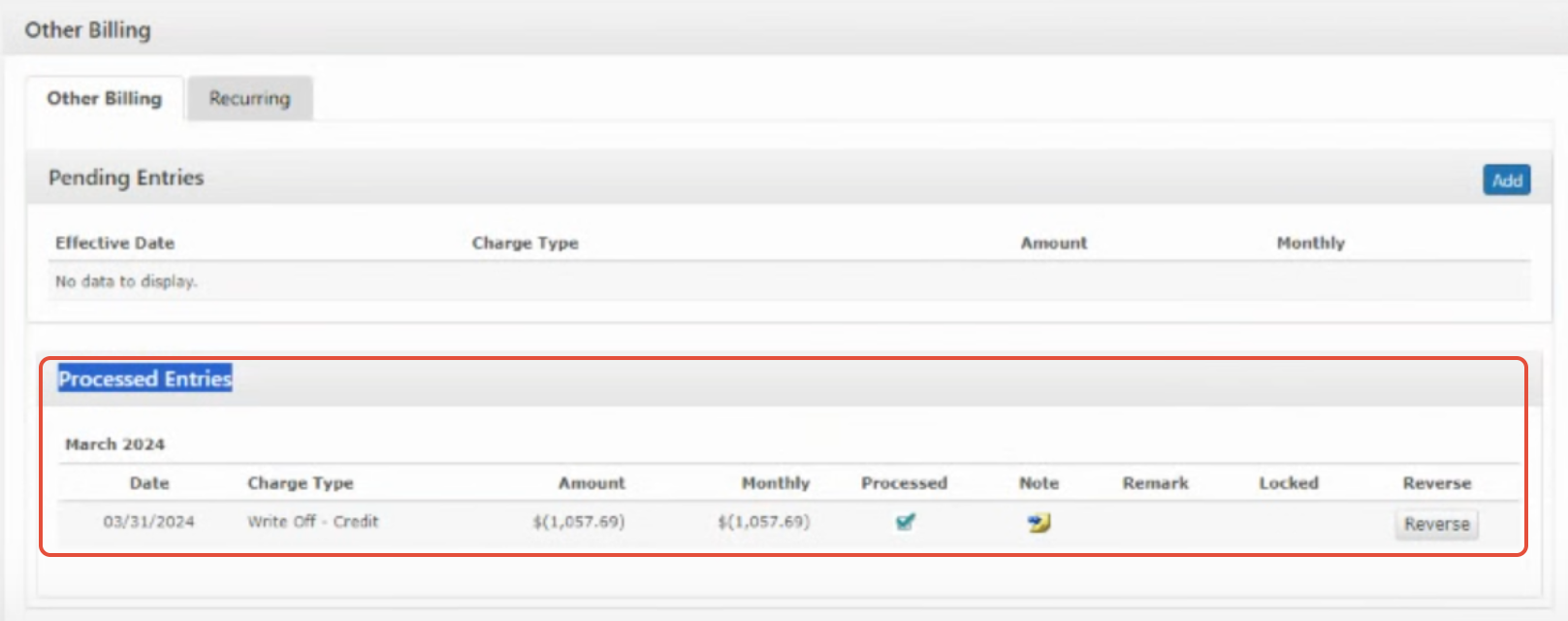
Step 5: Once completed, hit submit then you will see the write off under 'Processed Entries' section and in the residents ledger.
Was this article helpful?
That’s Great!
Thank you for your feedback
Sorry! We couldn't be helpful
Thank you for your feedback
Feedback sent
We appreciate your effort and will try to fix the article