Overview
In This article, we will review how to change your CRM password.
Changing CRM Password
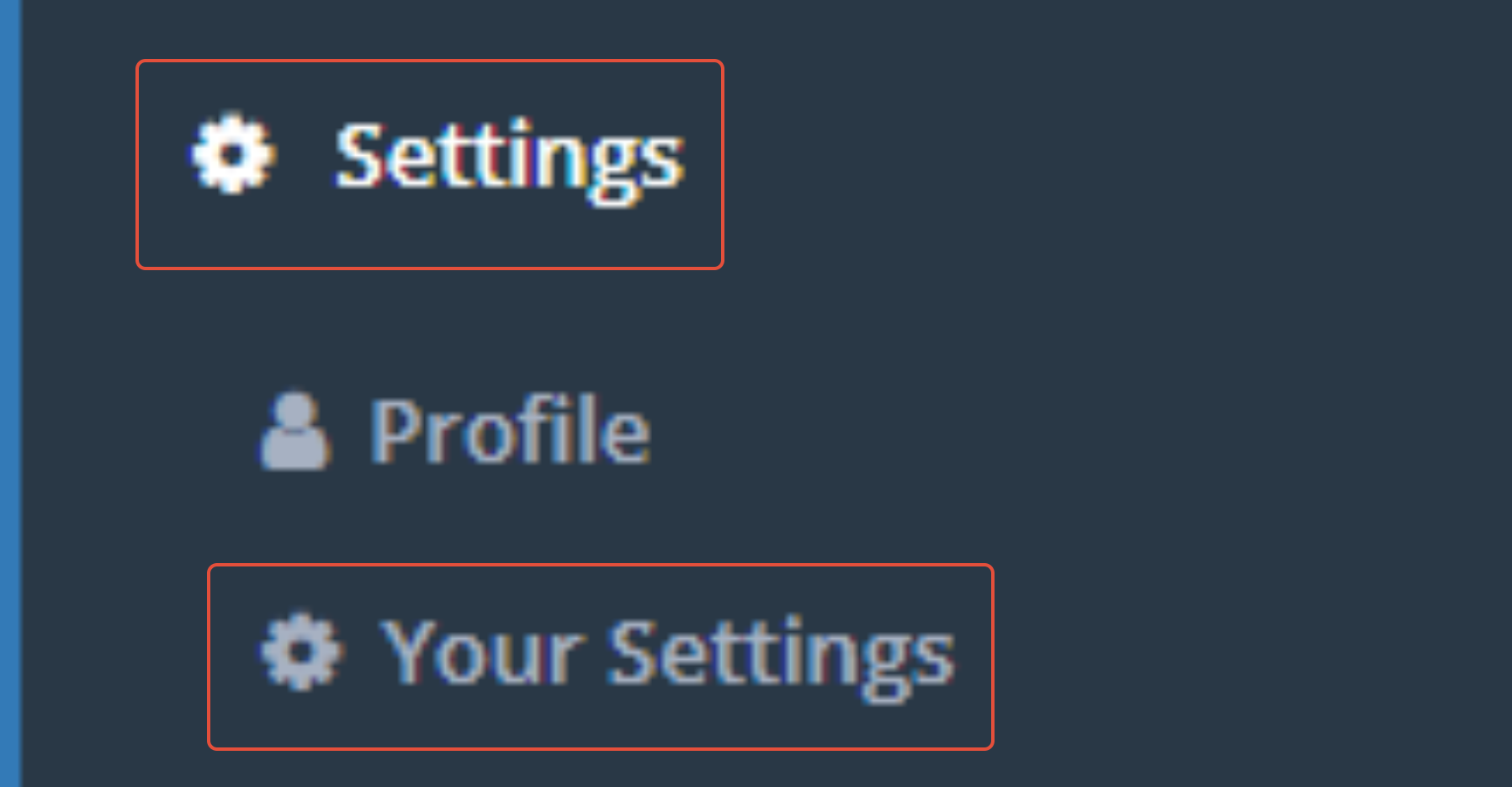
Step 1: Click Settings on the left hand bar and click "Your Settings"
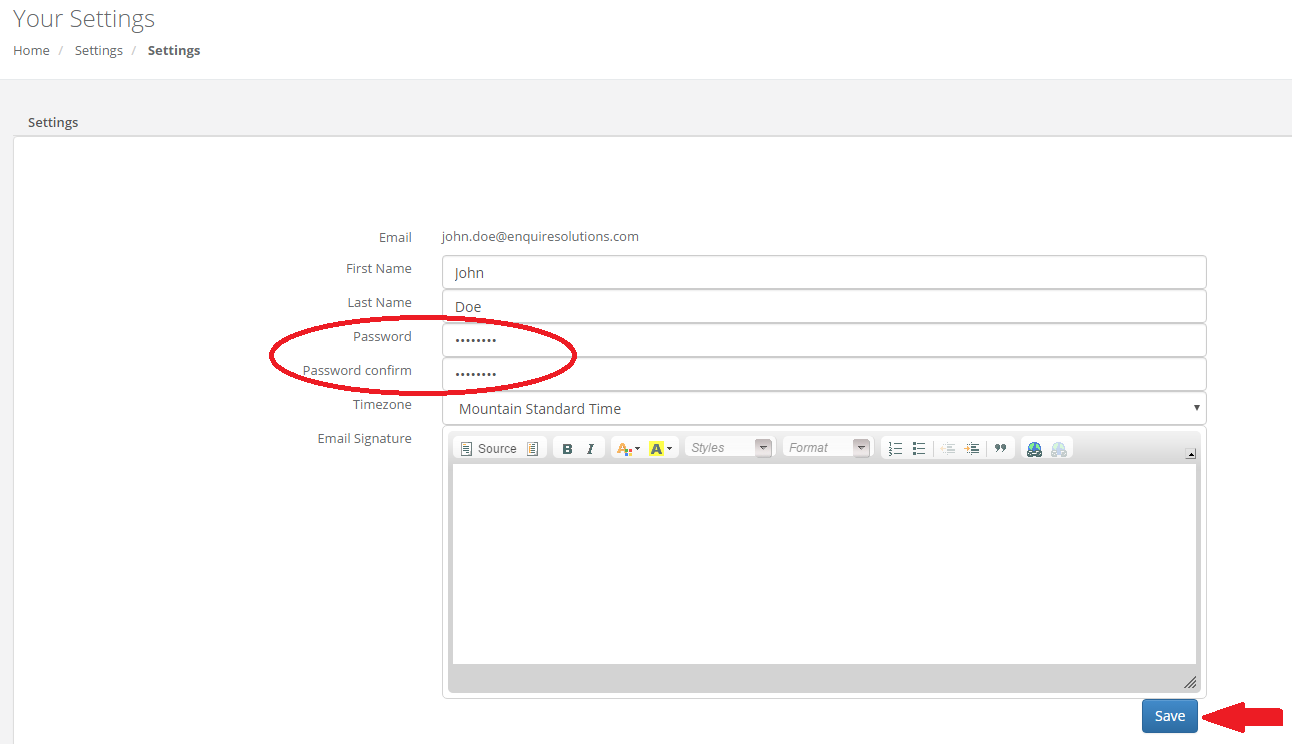
 Step 2: Type your new password into the Password field AND the Password confirm field and click Save
FAQ's
How do I change my Email Address?
- Send an email to Enquire.support@alineops.com and we'll get your email changed for you.
Was this article helpful?
That’s Great!
Thank you for your feedback
Sorry! We couldn't be helpful
Thank you for your feedback
Feedback sent
We appreciate your effort and will try to fix the article